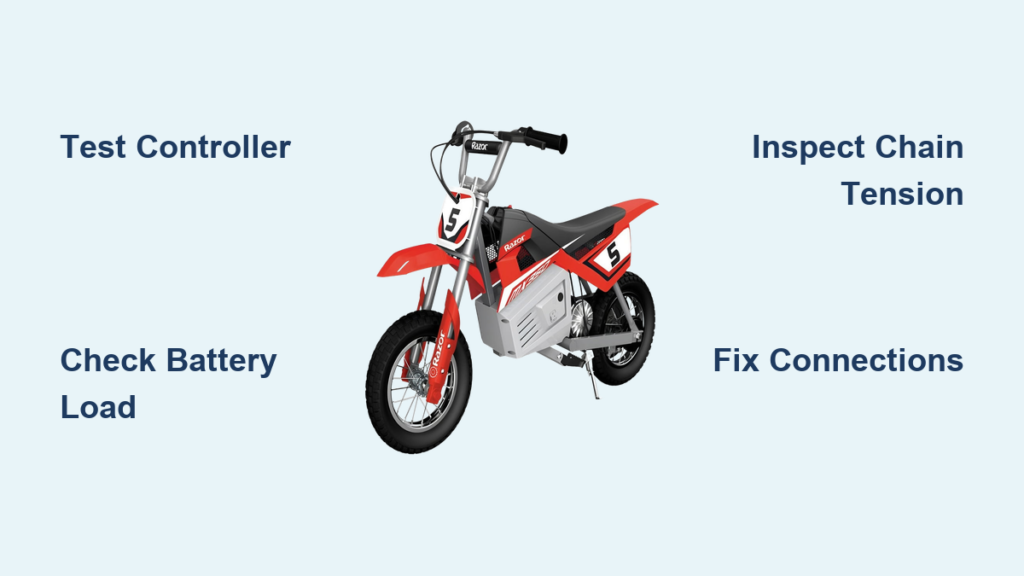
Your Razor dirt bike sits there with the throttle lit up showing full power, but when you twist the grip, nothing happens. The motor doesn’t engage, the chain doesn’t turn, and you’re stuck wondering what went wrong. This frustrating scenario is one of the most common issues Razor dirt bike owners face, and the good news is that most causes are identifiable and fixable with basic tools and some troubleshooting know-how.
When a Razor dirt bike won’t move despite having power, the problem typically lies within the interconnected system of components that work together to propel the vehicle—the battery, controller, throttle, motor, chain drive, and braking system all play roles in getting you moving. Understanding how these parts communicate and function together is the key to effective diagnosis and repair.
This guide walks you through a systematic approach to identifying and fixing the most common reasons your Razor dirt bike refuses to move. Whether you own an MX350, MX500, or MX650, the diagnostic steps and solutions here apply across the product line. By the end, you’ll understand how to test each component, identify failure points, and get your bike back on the trail where it belongs.
Why Your Razor MX350/MX650 Has Power But Won’t Move
The most common scenario Razor owners face is a bike that shows full power on the throttle display but remains completely stationary when you engage the throttle. This specific symptom points directly to communication failure between components rather than a complete power loss. When your Razor dirt bike won’t move despite having power, the controller is almost always the prime suspect—it acts as the “brain” that regulates power flow from the battery to the motor based on throttle input.
Controller Failure Symptoms to Watch For
Critical warning signs that indicate controller problems include:
– Throttle lights up showing full power but bike remains stationary when engaged
– Intermittent power delivery with random surges or cuts
– Complete loss of throttle response while other electrical components function normally
The definitive test involves connecting your motor directly to the battery pack (with proper safety precautions). If the motor runs at full speed during this bypass test, you’ve confirmed the controller is faulty and requires replacement. This test takes just 10 minutes and saves you from replacing good components unnecessarily.
Battery Voltage Testing Under Real Riding Conditions

Before assuming component failure, verify your battery can deliver power under actual operating conditions—not just at rest. Many owners make the mistake of checking voltage when the system is idle, which doesn’t reveal true performance issues.
Proper Battery Testing Method
For MX350 and MX500 models (24V systems), a fully charged battery should read approximately 27.6 Volts. The MX650 (36V system) should show 39-40 Volts when fully charged. The critical measurement happens when the system is under load—voltage should only drop between 0.5 to 1 Volt during operation. If you see larger voltage drops, your battery lacks the current delivery capacity needed for movement.
Pro tip: Take your battery to a professional shop with actual load testing equipment rather than relying on handheld testers. Most scooter repair shops offer this service for free, and it provides definitive information about whether your battery can handle riding demands.
Fix MX650 Chain Slipping When Under Load
MX650 owners frequently report a specific symptom that confuses many riders: the motor runs but the chain doesn’t spin unless the rear tire is lifted off the ground. This points directly to the centrifugal clutch assembly failing to engage properly under normal riding conditions.
Centrifugal Clutch Repair Steps
- Check chain tension first—it should have 20-25 mm (about 3/4 to 1 inch) of slack at the swing-arm midpoint
- Inspect sprockets for wear—worn teeth develop a hooked “shark-fin” appearance rather than symmetrical shape
- Clean and lubricate clutch mechanism using O-ring-safe chain wax designed for motorcycle chains
- Verify proper chain tensioner adjustment—excessive slack prevents engagement under load
Time estimate: 15-20 minutes for complete inspection and adjustment. If sprockets show significant wear, replace both front and rear sprockets along with the chain to prevent recurring issues.
Electrical Connection Checklist for Intermittent Power

Loose or corroded connections cause more movement problems than most riders realize. These issues mimic component failure but are often simple to resolve with systematic inspection.
Critical Connection Points to Check
- Battery terminals for corrosion (green/white buildup) or looseness
- Controller connections near the seat area where vibration causes loosening
- Throttle wiring at the handlebar junction
- Motor connections where dirt and moisture accumulate
Pro tip: Before disconnecting anything, take photos showing wire routing and connector orientation. Even a partially loose connection at the controller can cause complete power loss—reseat all connectors firmly until you hear them click into place.
Replace Razor Dirt Bike Controller in 5 Steps

When your direct motor test confirms controller failure, replacement is straightforward with the right approach. Controller replacement takes about 30 minutes and requires only basic tools.
Controller Replacement Procedure
- Disconnect battery and power off the bike completely
- Document current wiring—take multiple photos showing all connections
- Remove old controller by gently disconnecting each wire connector
- Install new controller matching wire colors and connector shapes exactly
- Test before final assembly—reconnect battery and verify throttle response
Critical warning: Use only Razor-compatible replacement controllers matching your specific model’s voltage and amperage requirements. The serial number on your MX350 determines compatible replacement versions—don’t assume all controllers are interchangeable.
Prevent Razor Dirt Bike Movement Failures
The best way to handle a Razor dirt bike that won’t move is to prevent the problems before they occur. Simple maintenance routines dramatically reduce movement issues.
Essential Preventive Measures
- Battery maintenance: Keep charge between 20-85% during regular use; for storage, charge to 50-60% and check monthly
- Chain care: Clean and lubricate after every muddy ride using O-ring-safe products
- Pre-ride inspection: Check tire pressure (18-22 PSI for off-road), chain tension, and brake function before each ride
- Connection protection: Apply dielectric grease to all electrical connections, especially if riding in wet conditions
Pro tip: Create a monthly maintenance checklist—spending just 15 minutes each month prevents 80% of movement issues. Focus particularly on chain tension and electrical connections, which are the most common culprits for bikes that won’t move.
When to Seek Professional Help
While most movement issues are DIY-fixable, certain situations warrant professional assistance:
- If you’re uncomfortable working with electrical components
- When multiple systems appear affected simultaneously
- For warranty-covered repairs (DIY work may void warranty)
- If you detect unusual mechanical sounds from the motor
Time-saving tip: Contact an authorized Razor service center first if your bike is under warranty—they have specialized diagnostic tools and genuine replacement parts that ensure proper function.
When a Razor dirt bike won’t move despite having power, follow this diagnostic sequence: verify battery performance under load, test the motor directly, inspect chain tension and clutch assembly (MX650), check all electrical connections, and finally replace the controller if needed. With systematic testing and these proven fixes, you’ll spend less time troubleshooting and more time riding your Razor dirt bike where it belongs—on the trail. Keep this guide handy for your next maintenance session, and you’ll avoid most common movement problems before they leave you stranded.