
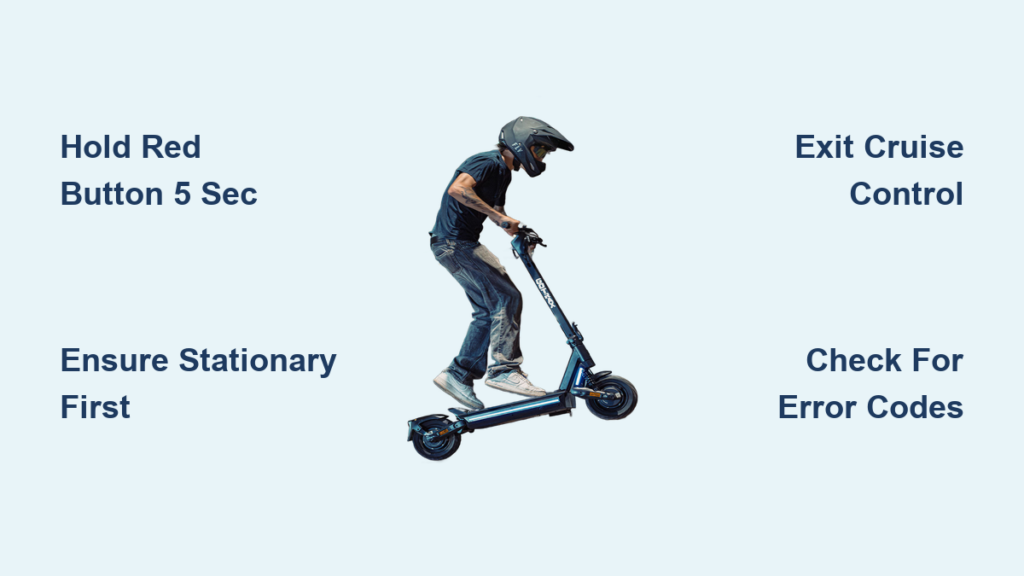
If your GOTRAX scooter won’t power down or you’re unsure of the correct shutdown method, you’re not alone. Many riders struggle with turning off their scooters because different models require different button combinations and hold times. Using the wrong method can lead to confusion, accidental restarts, or even damage over time. Whether you own a G4, GMAX, XR Ultra, Apex, or GXL V2, knowing the exact steps to turn off your GOTRAX scooter safely is essential for battery health, storage, and preventing unintended use.
This guide breaks down the correct shutdown procedures for every major GOTRAX model, including troubleshooting tips for error codes, security code management, and best practices for folding and charging. You’ll also learn how to disable password protection, interpret display warnings, and avoid common mistakes that keep your scooter stuck in “on” mode.
Power Off by Model Type

Each GOTRAX scooter model uses a unique button sequence to shut down. Following the correct steps based on your specific model ensures safe and reliable operation every time.
G4 and GMAX Models
These entry-level scooters use a simple long-press method for both powering on and off. The process is straightforward and requires no special button combinations.
Long Press Power Button
Press and hold the Power button for approximately 1-2 seconds. The display turns off completely when the scooter shuts down. There is no separate red button on these models; the main power button controls all on/off functions. Always wait 5-10 seconds after turning off before attempting to fold or charge the scooter to ensure the system fully powers down.
XR Ultra, XR Elite, GXL V2, and Apex Series
These higher-end models require a 5-second press to shut down, which is longer than the 1-second press needed to turn them on. This design prevents accidental shutdowns during rides.
Hold Red Button for 5 Seconds
Press and hold the Red Power button for exactly 5 seconds. The display screen goes dark and no lights remain active when successfully turned off. The critical difference is that turning on only requires a 1-second press. Do not confuse the two hold times or you’ll end up restarting instead of shutting down. Count slowly to five to ensure full deactivation.
Pre-Shutdown Safety Steps
Before turning off your scooter, follow these safety protocols to protect yourself and the device from potential damage or error states.
Ensure Scooter Is Stationary
Come to a complete stop using the brakes and release the throttle fully. Keep the scooter upright and balanced before initiating the power-off sequence. Never attempt to power off while in motion, as this can trigger error codes or cause loss of control. Wait until the scooter is completely stationary before holding the power button.
Check for Error Codes
If the display shows any error such as E1, E2, E3, E4, or 21E, turn off immediately and do not ride again until the issue is resolved. Error codes indicate hardware or connection problems that require attention before further use. Power cycling (turning off and on) is the first step in troubleshooting most errors, but persistent codes require component replacement.
Disable Security Code on G4

The GOTRAX G4 includes a hidden security feature that prompts for a 4-digit code when turning on. If you want faster access, you can disable this password requirement entirely.
Turn Off Password Prompt
Hold Plus (+) and Power buttons together for exactly 10 seconds. Listen for a confirmation beep indicating the code has been disabled. Then turn the scooter off and back on. No code should appear after this procedure. This only disables the code prompt; it does not delete any custom code from memory.
Set a New Security Code

If you want to set or change the security code on your G4, follow this corrected procedure because the official manual contains an error.
Use All Three Buttons
Press Plus (+), Minus (-), and Power buttons simultaneously and hold for 10 seconds. A beep or flash confirms activation. Use + and – buttons to choose each digit, then press Power once to move to the next digit position. After setting all four digits, press Power twice to save the code. Turn off and on to verify the new code works. The manual incorrectly states to use only + and Power, but this method fails. You must include the Minus button for successful code setup.
Troubleshoot Error Codes

If your scooter won’t turn off or displays an error, it may be in a fault state. Identifying the code helps determine if a reset resolves the issue or if parts need replacement.
Common Error Codes and Fixes
For VIBE, GXL V2, and Apex models, E1 indicates communication failure and requires cleaning the console-battery connector. E2 means brake lever failure and E3 means handlebar failure, both needing connector cleaning or console replacement. E4 signals motor failure requiring motor wheel replacement. E5 indicates controller failure requiring replacement or entire unit replacement.
For XR Ultra and XR Elite models, 21E means controller failure, 22E means handlebar failure, 23E means motor failure, 25E means brake lever failure, and 30E means communication failure. All require console or motor replacement.
For G3, G4, GMAX, and GMAX Ultra models, code 2 indicates handlebar failure, code 4 indicates motor signal failure, and code 5 indicates brake lever failure. Turn off immediately at the first sign of an error and do not ride with any code displayed.
Understand Display and Controls
Knowing what each button does helps prevent accidental activation and ensures proper shutdown every time.
Button Functions by Model
On XR Ultra, XR Elite, GXL V2, and Apex models, hold the Red button for 1 second to power on and 5 seconds to power off. Hold the Red button for 1 second while powered on to toggle the headlight. Press the Red button for 2 seconds to shift gears. Hold the throttle for 10 seconds to activate cruise control.
On G4 and GMAX models, long press the Power button to both power on and off. Hold the “+” button to control the headlight. Hold the throttle for 8 seconds to activate cruise control. On XR models, holding the red button for 1 second while powered on toggles the headlight, not shutdown. Only a 5-second hold turns it off.
Deactivate Cruise Control Before Turning Off
Cruise control can interfere with normal operation if not turned off properly before shutdown. Always exit cruise mode before powering down.
How to Exit Cruise Mode
Press the brake lever to instantly cancel cruise control. Alternatively, release and re-press the throttle on some models. Never attempt to turn off the scooter while in cruise mode, as this may cause instability or trigger error codes. Exit cruise control first, then proceed with the normal shutdown procedure.
Charging and Post-Ride Care
After turning off your scooter, follow these steps to maintain battery health and prepare for storage or charging.
Charge Only When Powered Off
Always turn off the scooter before plugging in the charger. Insert the charger into the port located on the tiller for XR models or the deck for G4, GMAX, and Apex models. A red light indicates charging is in progress, while green means fully charged. Charging time is typically 4-5 hours from empty. Avoid leaving the scooter plugged in overnight or for extended periods after full charge, as overcharging reduces battery lifespan.
Fold Only When Off
Folding while powered on can damage internal wiring and trigger error codes. Always power down completely before folding your scooter.
Safe Folding Procedure
Turn off the scooter completely first. Press the lock buckle button and pull down the front lever clamp. Fold the tiller toward the rear fender and hook it into the fender lock. To unfold, release the tiller hook, pull the tiller upright, and engage the front lever clamp until it clicks. Always verify the lock is secure before riding. Never ride if the tiller feels loose or unstable.
Maintenance Tips to Prevent Shutdown Issues
Regular care keeps your scooter responsive and avoids unexpected power problems that can affect the shutdown process.
Clean Connectors Regularly
Use a dry, soft cloth to wipe connectors, especially after experiencing E1, E2, or E3 errors. Focus on the console-to-frame and battery connection points. Clean connectors prevent communication failures that can cause shutdown issues or error codes. Store the scooter in a dry, temperature-controlled space and charge to 50-80% if storing long-term. Avoid rough terrain such as potholes and curbs, which can damage wiring and sensors.
When to Contact GOTRAX Support
If your scooter won’t turn off despite using correct button presses, or keeps showing error codes after resets, professional support is needed.
Get Professional Help
Do not disassemble or attempt DIY repairs on the motor, controller, or console. File a claim through official GOTRAX support for persistent issues. Support hours are 9:00 AM to 6:00 PM MST Monday through Friday, with live chat available 10:00 AM to 5:00 PM MST. Persistent E codes like E5, 21E, or E7 often require professional replacement parts rather than simple resets.
Frequently Asked Questions About Turning Off GOTRAX Scooters
How do I turn off my GOTRAX XR Ultra scooter?
Press and hold the Red Power button for exactly 5 seconds. The display will go dark indicating the scooter is off. Note that turning on only requires a 1-second hold, so be sure to count to five when powering down.
Why won’t my GOTRAX scooter turn off?
Your scooter may display an error code preventing shutdown, or you may not be holding the button long enough. Check the display for error codes like E1 or E4. For XR models, ensure you hold the red button for 5 seconds, not just 1-2 seconds.
Can I turn off my GOTRAX G4 without using the security code?
Yes, you can disable the security code by holding the Plus (+) and Power buttons together for 10 seconds. Listen for a confirmation beep, then turn the scooter off and back on. The code prompt should no longer appear.
What does error code E5 mean on my GOTRAX scooter?
E5 indicates a controller failure and typically requires replacing the controller or the entire unit. This is a serious error that prevents proper operation. Do not ride the scooter when this code appears.
How do I turn off cruise control before shutting down?
Press the brake lever to instantly cancel cruise control. Alternatively, release and re-press the throttle on some models. Always exit cruise mode before powering down to prevent instability or error codes.
Where is the charging port located on my GOTRAX scooter?
The charging port location varies by model. XR Ultra, XR Elite, and GXL V2 have the port on the tiller (handlebar stem). G4, GMAX, and Apex models have the port on the deck (footboard area).
Key Takeaways for Turning Off Your GOTRAX Scooter
Turning off your GOTRAX scooter isn’t a one-size-fits-all process. Know your specific model and use the correct hold time. For G4 and GMAX, a long press of the Power button works, while XR Ultra, GXL V2, and Apex models require a 5-second hold on the Red button. Always check for error codes before and after rides, as these indicate underlying issues that need attention. Disable the security code on G4 models if you want faster access, and remember to exit cruise control before powering down. By following these steps, you’ll extend your scooter’s life, avoid safety risks, and ensure smooth operation every time. Keep this guide handy, especially if you share your scooter or own multiple models.



