
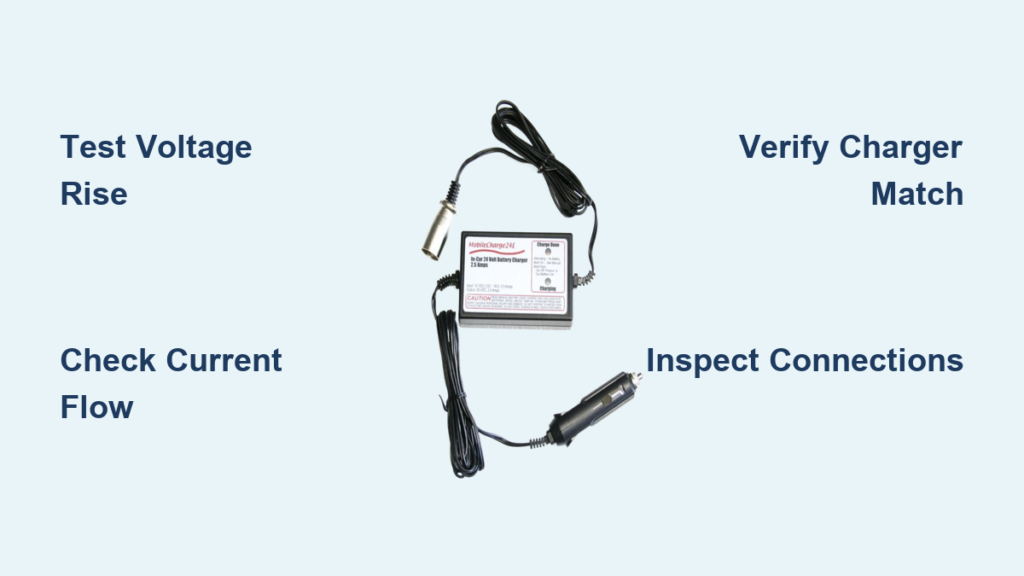
You plug in your mobility scooter at the end of the day, expecting it to be fully charged and ready for tomorrow’s errands, only to find the charger light hasn’t changed, the battery isn’t holding a charge, or worse, the scooter won’t start at all. If you’re dealing with mobility scooter battery charger problems, you’re not alone. These issues are common, but many can be diagnosed and resolved quickly with the right tools and knowledge.
The root cause might be a failing charger, degraded battery, poor connections, or simple user error. In fact, what seems like a dead charger is often a deeply discharged battery that’s tricking a smart charger into staying inactive. Without proper testing, it’s easy to replace the wrong part and waste money.
Test Charger Output with a Multimeter

Before replacing your charger, confirm whether it’s actually faulty. A digital multimeter (under $10) is essential for testing voltage at key points in the charging circuit.
Test Charging Port Voltage
Insert the multimeter probes into the two outer holes of your scooter’s charging port. Set the meter to DC Volts. For a 24V system, expect around 24.6V when the battery is discharged. This reading confirms the port is receiving power from the battery side.
Now plug in the charger. If the voltage rises steadily (about 1V every few seconds), the charger is working. If it stays flat or drops, the charger may not be delivering power.
Check Direct Battery Terminal Voltage
If your battery is sealed and hard to access, remove the cover and test directly at the terminals. Connect the multimeter leads to the positive and negative terminals.
Plug in the charger. A rising voltage confirms power delivery. If the reading doesn’t increase after 5 to 10 minutes, the issue could be the charger or a battery that’s too dead to trigger a smart charger.
Verify Charging with Current Measurements
Voltage tells part of the story. To know if your scooter is truly charging, you need to measure current flow, and that requires a DC current clamp meter.
Use a Clamp Meter to Detect Amps
Wrap the clamp around the positive or negative wire leading from the charger to the battery while it’s plugged in.
For a standard 24V 20Ah system, expect 5 to 8 Amps of current. If the meter reads zero after 10 minutes, the charger isn’t delivering current, even if voltage is present.
Understand Smart Charger Behavior
Many modern chargers are microprocessor-controlled and won’t output power unless the battery voltage is above a minimum threshold, typically 12V to 16V.
If your battery reads below 12V, the charger will show zero output. This isn’t a defect. It’s a safety feature. The charger sees the battery as unsafe and refuses to charge.
Interpret Charger Indicator Lights
The LED on your charger provides real-time feedback, but only if you know what it means.
What Red Light Behavior Means
A red light that never turns green usually means the battery isn’t accepting charge, the charger is faulty, or there’s a chemistry mismatch (such as a lithium charger on lead-acid).
Don’t assume failure yet. Test voltage rise. If it increases slowly, charging is happening, just taking longer than expected. If voltage stays flat, suspect the charger or a dead battery.
Troubleshooting No Light Issues
If the charger shows no light when connected to the wall, check the outlet with another device, inspect the power cord for damage, and test for continuity with a multimeter.
Some chargers have thermal protection. If it overheated previously, it may need time to cool before restarting. Look for a blown internal fuse, which is common in car adapters or low-quality chargers.
Decoding Flashing Lights
Irregular blinking often signals a fault code. Consult your manual, as each brand uses different patterns.
Common causes include overheating, short circuit, voltage mismatch, and poor connection. Move the scooter to a cool, dry place and reseat all connectors. If blinking continues, the charger is likely defective.
Check Connection and Wiring Issues
Before blaming the charger or battery, inspect the physical connections.
Inspect Charging Port and Cables
Check for loose or wobbly plugs, bent or corroded pins, frayed wires, and burnt smell or discoloration.
Clean corroded terminals with a baking soda and water mix and a toothbrush. Dry thoroughly before reconnecting.
Handle Three-Pin Connectors Correctly
Some scooters use 3-pin charging ports with red for positive, black for negative, and green (or yellow) for the inhibit wire.
Ensure polarity is correct. Reversing wires can damage the battery or charger. Avoid over-tightening plastic housings, as they can crack.
Avoid Extension Cords
Use a direct wall outlet whenever possible. Extension cords, especially thin or long ones, cause voltage drops that confuse smart chargers.
If you must use one, choose a heavy-duty, short cord rated for at least 10A.
Match Charger to Battery Chemistry
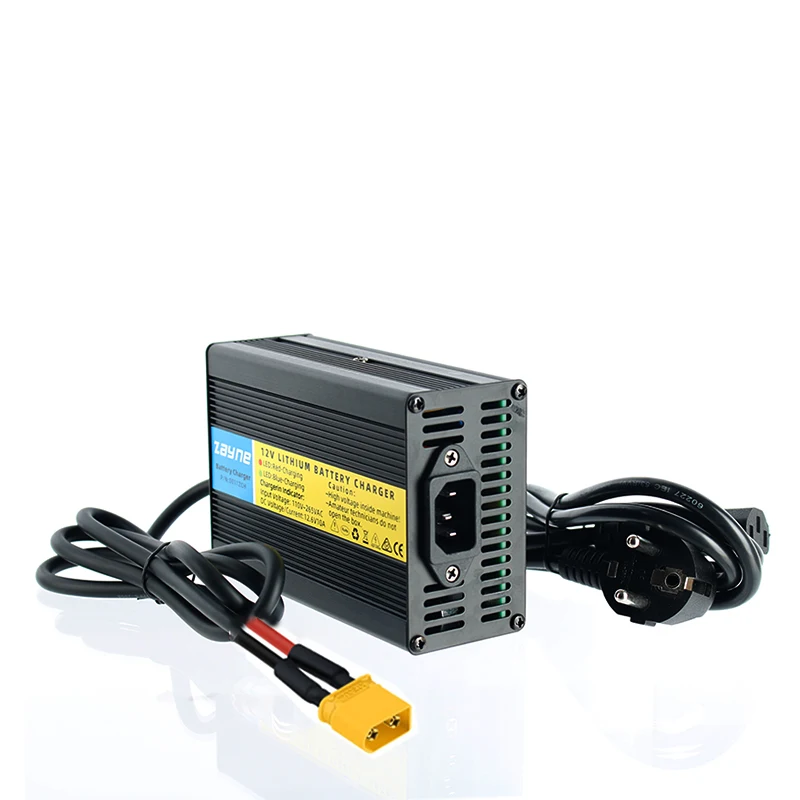
Using the wrong charger is a leading cause of charging problems and a serious safety risk.
Know Your Battery Type
Sealed Lead-Acid (SLA) batteries need a standard 24V profile charger. Gel batteries require a Gel-specific charger with lower voltage. Lithium-Ion batteries need a Lithium-specific charger with BMS communication.
Never use a lead-acid charger on a lithium battery. The voltage profiles are incompatible and dangerous.
Check Charger Label Specs
Your charger should match the voltage (24V, 36V, etc.), the amperage (2A, 5A, 8A), and the chemistry (marked as SLA, Gel, or Lithium).
Using a generic or incorrect charger can cut battery life by up to 40% in six months.
Test Battery Health Before Replacing Charger
Over 50% of charger problems are actually battery failures. Don’t replace the charger until you rule out the battery.
Signs of a Failing Battery
Watch for reduced range (30% or more drop), swollen casing (feels puffy or looks distorted), rotten egg smell (hydrogen sulfide gas), leaking fluid or white crust on terminals, and charging quickly but dying fast.
A battery that’s full but can’t power the scooter for more than a few minutes is likely at end-of-life.
Perform a Load Test
If you have access to a battery load tester, apply a load equal to 50% of the battery’s Ah rating and monitor voltage drop. If voltage falls below 10.5V under load, the battery is failing.
No load tester? Charge fully, ride until performance drops, then recharge immediately. If it takes less than 1 to 2 hours to refill, the battery has lost capacity.
Prevent Charger Problems with Proper Charging Habits
Most charging issues stem from poor habits. Fix your routine to extend both battery and charger life.
Charge After Every Use
Never let your battery drain completely. Deep discharging damages lead-acid cells and reduces lifespan.
Recharge after every outing, even short ones.
Avoid Overcharging
Leaving the scooter plugged in for days stresses the battery. SLA batteries can degrade faster if left on float charge too long. Lithium batteries lose 20% capacity after 300 cycles if kept at 100% constantly.
Unplug after 8 to 10 hours, or use a smart charger that switches to trickle mode automatically.
Store Properly During Inactivity
If not using the scooter for over a week, charge to full, then recharge every 1 to 2 weeks to prevent sulfation. Store indoors, away from heat, cold, and sunlight.
Optimize Your Charging Environment
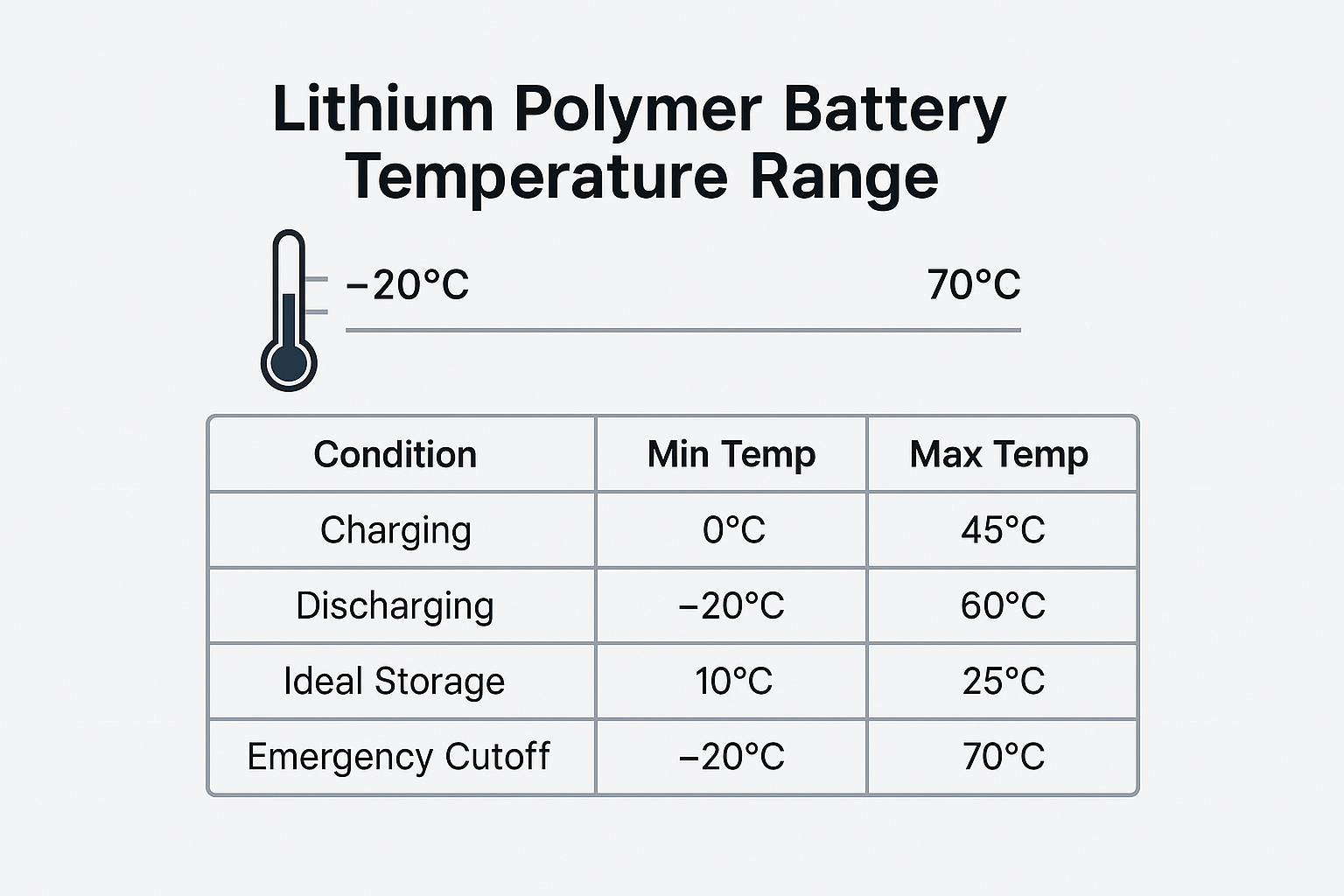
Temperature and ventilation matter more than most users realize.
Charge in Ideal Temperature Range
Always charge between 50°F (10°C) and 86°F (30°C). Cold batteries charge slowly and may not accept full charge. Hot batteries degrade faster and risk swelling or thermal runaway.
Never charge a frozen battery. Let it warm to room temperature first.
Ensure Good Ventilation
Charge in a well-ventilated area. Enclosed spaces trap heat, increasing fire risk, especially with lithium batteries.
Keep the charger and battery uncovered during charging.
Know When to Call a Professional
Some issues require expert attention.
Call a Technician If
Call a professional if the battery is swollen, leaking, or smells like rotten eggs, if wiring is melted or damaged, if the charger emits smoke or a burning odor, if you’re unsure about electrical safety, or if your scooter has a proprietary system.
Professionals can perform load tests, diagnose BMS faults, and ensure warranty-safe replacements.
Always bring both scooter and charger for accurate diagnosis.
Quick Diagnosis: Charger vs Battery

Use this quick decision guide to identify the problem.
| Symptom | Likely Cause | Action |
|---|---|---|
| No light on charger | Blown fuse, dead outlet, bad cord | Test outlet, check fuse, inspect cord |
| Light on but no voltage rise | Dead battery or faulty charger | Test battery voltage; try alternate charger |
| Voltage rises but no current | Internal charger failure | Replace charger |
| Charges fast but no range | Battery end-of-life | Replace battery |
| Light stays red | Battery not accepting charge | Test battery health, check chemistry match |
| Zero output with dead battery | Smart charger in safety mode | Wake battery with low-amp charger first |
Frequently Asked Questions About Mobility Scooter Battery Charger Problems
Why does my charger show a light but not charge the battery?
A glowing light only means the charger has power, not that it’s charging. Use a multimeter to test if voltage is actually rising at the charging port. If voltage stays flat, the charger may be faulty or the battery may be too dead to trigger a smart charger.
Can I use a car charger for my mobility scooter?
Using car cigarette lighter adapters is acceptable for maintenance but too slow for full charging. These adapters typically provide only 1.5A, and their internal fuses often blow without affecting the power light. For regular charging, always use the proper wall-mounted charger.
How do I know if my battery or charger is the problem?
Test voltage rise when the charger is connected. If voltage increases, the charger is working. If voltage stays flat, test the battery directly. A battery below 12V may cause a smart charger to show zero output as a safety feature.
Why does my charger stay red forever?
A red light that never turns green usually means the battery isn’t accepting charge. Test voltage rise with a multimeter. If it increases slowly, charging is happening. If it stays flat, the charger or battery is faulty.
Can wrong charger damage my battery?
Yes. Using a charger with mismatched voltage or chemistry can reduce battery life by up to 40% within six months. Never use a lead-acid charger on a lithium battery, as the voltage profiles are incompatible and dangerous.
How often should I charge my mobility scooter battery?
Charge after every outing, even short ones. Deep discharging damages lead-acid cells. For storage, recharge every 1 to 2 weeks to prevent sulfation and capacity loss.
Key Takeaways for Fixing Mobility Scooter Battery Charger Problems
Most mobility scooter battery charger problems are fixable with basic tools and the right approach. Start with voltage and current tests to distinguish between charger failure and battery issues. Rule out connection problems by inspecting ports and cables. Verify that your charger matches your battery chemistry, as mismatched chargers can cause serious damage.
By following these diagnostic steps, you’ll avoid unnecessary replacements, save money, and keep your scooter running reliably. Regular maintenance, including charging after every use, avoiding deep discharges, and storing properly, will extend both battery and charger life for years.



