If your NIU scooter feels slower than expected or won’t start at all, you may need to perform an unlock. The term “niu scooter unlock” covers three distinct scenarios: removing a factory speed cap, fixing an accidental app-based lock, or performing hardware modifications. Each method varies by model, legality, and risk level. This guide covers every known unlock process using verified data, from the simple 10-second button trick on the UQi GT to troubleshooting a locked KQi or installing third-party controllers.
NIU UQi GT: Remove the 22 mph Speed Limit
The NIU UQi GT ships with a 22 mph speed cap for legal compliance in certain regions. However, the scooter is designed to reach 32 mph, and unlocking it is an official process that does not void your warranty.
Why NIU Caps the Speed
NIU limits the UQi GT to 22 mph to meet local e-scooter laws where a driver’s license is not required. In states like Oregon and Washington, riding at 32 mph requires a valid license. The restriction is purely software-based, so no hardware changes are needed.
Official Unlock Preserves Your Warranty
NIU’s U.S. importer confirms this unlock method does not void the warranty. It only removes the top speed limiter without altering the motor, battery, or controller. This is not hacking; it activates a built-in mode that dealers typically enable before delivery.
Step-by-Step Unlock Sequence for UQi GT

Follow these steps exactly. Timing is critical, especially the 10-second hold.
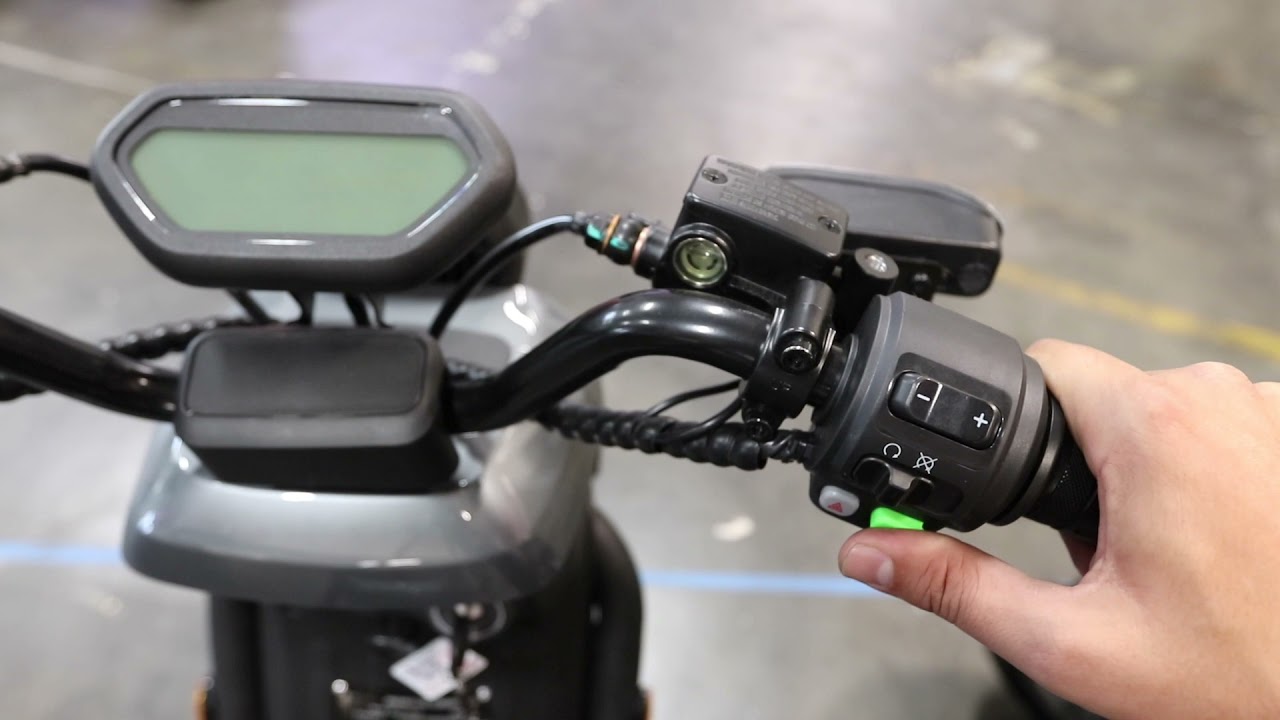
- Power off the scooter completely. Locate the green button on the left handlebar.
- Press and hold the green button. While holding it, press and hold the start button to power on the scooter.
- Immediately pull and hold the front brake lever. Hold it for exactly 3 seconds.
- Release both the brake lever and the green button at the same time.
- Press and hold the green button again for a full 10 seconds. Count slowly to ensure accuracy.
- Release the green button, then pull the brake lever for 1 second and release.
Success looks like this: The display switches to Mode 2, indicating the scooter is now unlocked and capable of 32 mph.
If the process fails, the most common cause is holding the green button for less than 10 seconds. Try again and hold the button slightly longer.
NIU KQi Series: Fix App Lock Issues
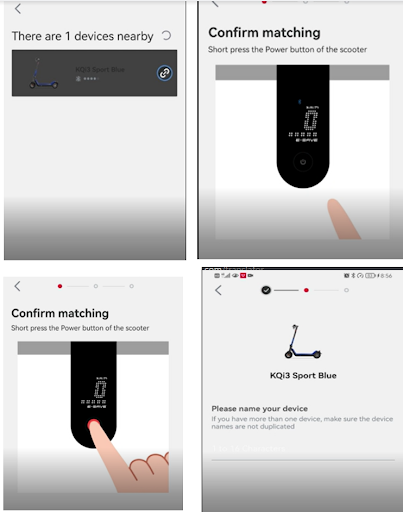
Unlike the UQi GT, the NIU KQi e-kick scooter can become locked through the NIU mobile app. Users have reported accidentally tapping a lock function, which renders the scooter unresponsive even after restarting the app or phone.
Symptoms of an App Lock
When locked, the scooter won’t power on or respond to the start button. The app shows a locked status, and no confirmation prompt was given during the lock action. This leaves owners unable to use their scooter.
No Confirmed Remote Unlock Method
As of current data, there is no confirmed self-service method to reverse an app lock on the KQi series. The available documentation does not include a factory reset sequence or remote unlock code.
Possible workarounds that users have tried include force closing and reopening the NIU app, reinstalling the app and logging back in, checking for firmware updates in the app settings, restarting the scooter’s power by disconnecting the battery if accessible, and waiting 24 hours in case a temporary lockout resets automatically.
The last resort is contacting NIU customer support or visiting an authorized dealer. They may have backend tools to unlock the scooter remotely or perform a physical reset.
Pro tip: Avoid using the app lock feature unless absolutely necessary. There is no clear unlock button, and recovery options are limited.
NIU N1 and Other Models: Hardware Unlock via USB Controller
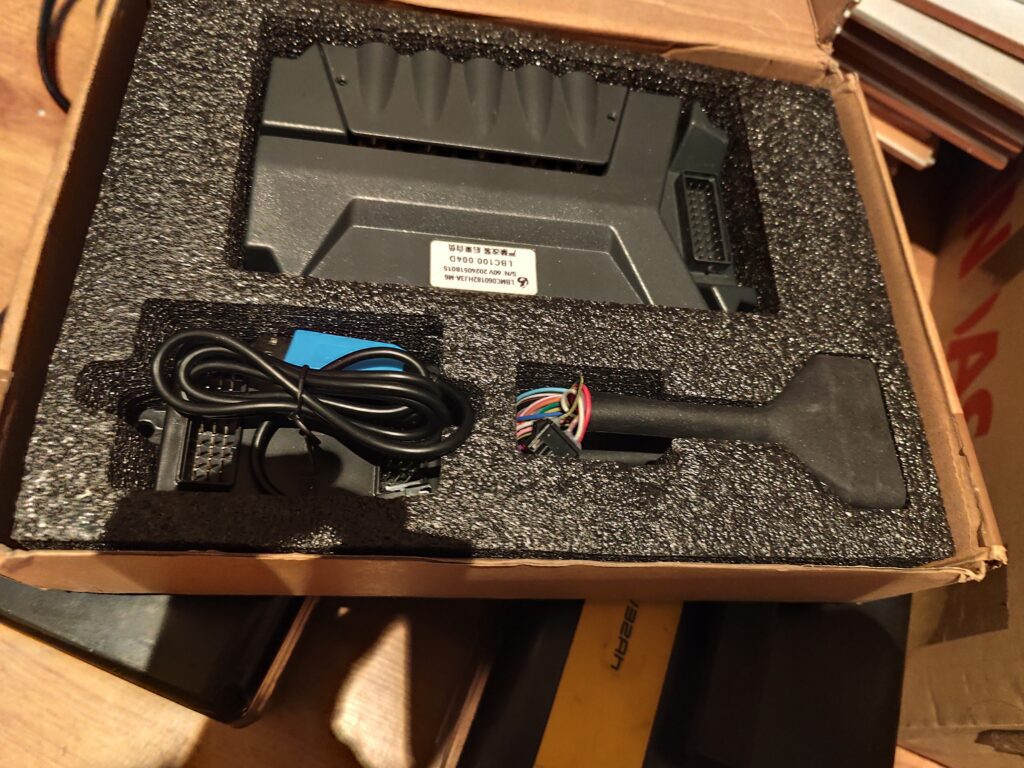
For riders seeking more than 32 mph or full control over performance, some install third-party USB controllers or replacement motherboards. This method applies to models like the NIU N1, M+, and others with accessible electronics.
Warning: This process voids the warranty, may violate local traffic laws, and carries technical risk. Only experienced users should attempt this modification.
What You Will Need
You will need a third-party USB controller from a specialty supplier, screwdrivers with the correct bits, about 30 to 60 minutes of time, and basic electrical knowledge.
Step-by-Step Motherboard Replacement

- Disconnect the battery completely to prevent short circuits.
- Open the trunk and remove the four screws holding it in place. You can either remove the trunk entirely or flip it back carefully to access the motherboard.
- Disconnect the main power cable from the motherboard. Remove all five colored signal cables. Unscrew and remove the original motherboard.
- Place the new motherboard in position and secure it with at least two screws. Aftermarket boards may not fit all four holes.
- Reconnect the five colored cables tightly to the new motherboard.
- Plug the black USB end of the two-headed cable into the new motherboard. Connect the other end to the KZQ side. Plug the scooter’s power cable into the CAR side of the black box.
- For NIU N1 models with a 6-pin HALL connector, open the two-headed cable assembly and plug the 6-pin cable into the adapter before connecting.
- Reconnect the battery, close the trunk, and power on the scooter to test.
Troubleshoot Hardware Unlock Failures

Even with correct installation, issues can arise. Here is how to fix the most common problems.
Dashboard Won’t Switch Modes
If the ready light turns on but the display stays in default mode, the cause is usually a loose cable or incorrect USB cable installation. Open the trunk again, reseat all connections, and verify the two-headed cable is plugged into the correct ports.
Scooter Drives Erratically
Jerky acceleration, sudden stops, or wobbling at speed indicate incorrect parameter settings in the new controller. Contact the parts supplier for the correct programming software and firmware for your specific model.
Error 11: Voltage Mismatch
Error code 11 appears on startup when the controller is set to the wrong voltage, such as a 60V N1S setting on a 48V M+ scooter. Reprogram the motherboard to match your battery voltage. Never operate with a mismatch, as this can damage components.
Stripped Screws During Disassembly
Using an electric screwdriver with too much torque damages screw heads, making removal impossible. Always use a manual screwdriver with the correct bit. Apply firm, steady pressure to avoid cam-out.
Legal, Warranty, and Safety Risks
Before modifying your scooter, understand the consequences of each unlock method.
Official Software Unlock (UQi GT)
This method keeps your warranty intact, remains legal for licensed riders in applicable states, and poses no hardware risk. It simply activates a built-in mode.
Hardware Modifications (USB Controllers)
Any motherboard replacement or third-party part installation voids the factory warranty. If your scooter exceeds local speed limits, it may be illegal for public use. Parts suppliers explicitly state they are not liable for fines, accidents, or damage. Incorrect wiring or settings can permanently damage electronics.
Expert note: Modifying your scooter for higher speeds turns it into a motor vehicle in many jurisdictions. You may need registration, insurance, and a license, just like a motorcycle.
Model-Specific Unlock Summary
| Model | Unlock Type | Max Speed | Warranty Impact | Legal Risk |
|---|---|---|---|---|
| UQi GT | Software Button | 32 mph | None | Low (with license) |
| KQi | App Lock Fix | N/A | N/A | Medium (no remote unlock) |
| N1/M+ | Hardware USB Board | Varies | Voided | High |
Final Tips for a Successful NIU Scooter Unlock
For UQi GT owners, always test the speed after purchase. If it is capped at 22 mph, perform the 10-second unlock. It is free, safe, and takes less than a minute.
For KQi users, avoid the app lock feature entirely. If locked, contact NIU support. There is no known DIY fix.
For hardware modders, double-check voltage settings and wiring diagrams. One wrong connection can permanently damage your scooter.
When in doubt, visit an authorized dealer. They can unlock, diagnose, or advise without risking damage to your vehicle.
Frequently Asked Questions About NIU Scooter Unlock
Does the NIU UQi GT speed unlock void the warranty?
No. The official software unlock method for the UQi GT does not void the warranty. NIU’s U.S. importer confirms this process only removes the speed cap without altering motor, battery, or controller integrity.
Can I unlock my NIU KQi if the app locked it?
There is no confirmed self-service method to unlock a KQi series scooter that was locked via the app. Your best option is contacting NIU customer support or visiting an authorized dealer who may have backend tools to reset the lock.
What is the top speed of an unlocked NIU UQi GT?
The UQi GT can reach 32 mph when unlocked, compared to its factory-limited speed of 22 mph. This requires a valid driver’s license in many jurisdictions.
Is hardware modification legal for street use?
Hardware modifications that exceed local speed limits may make your scooter illegal for public road use. You may need to register it as a motor vehicle and obtain insurance. Check your local laws before modifying.
What happens if I get Error 11 after hardware modification?
Error 11 indicates a voltage mismatch between the controller settings and your battery. Reprogram the motherboard to match your battery voltage, whether 48V or 60V, depending on your model.
Key Takeaways for Successfully Unlocking Your NIU Scooter
The niu scooter unlock process is not one-size-fits-all. From a simple button combination to complex motherboard swaps, each method serves a different need. Stick to the official software unlock when possible. It is fast, free, and safe. Save hardware modifications for expert users who fully accept the risks involved. Always ride legally, wear a helmet, and keep your scooter maintained for peak performance.