
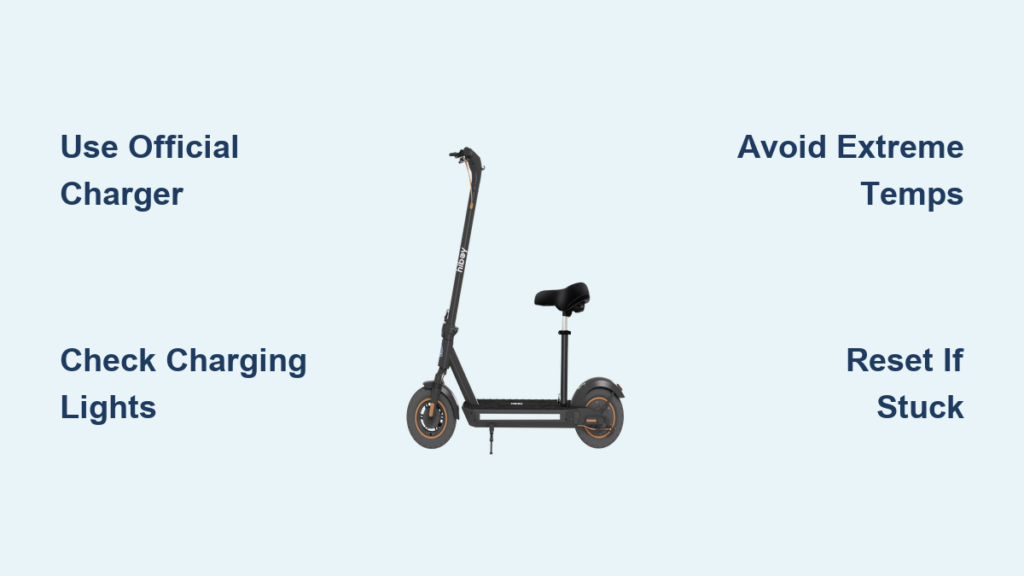
You just finished a ride on your Hiboy scooter and notice the battery is low now what? Knowing how to charge a Hiboy scooter properly is not just about plugging it in; it is about maximizing battery life, avoiding safety risks, and keeping your ride ready. Whether you own a Hiboy S2, S2R, or another model, this guide walks you through every step from correct charging habits to troubleshooting when things go wrong. You will learn how long it takes to charge, what the lights mean, and how to avoid common mistakes that shorten battery lifespan.
Using the wrong charger, charging in extreme temperatures, or ignoring warning signs can lead to permanent damage. But with the right knowledge, you can get up to 1,000 charging cycles from your lithium-ion battery and keep costs under $0.30 per full charge. Let us dive into the exact steps, safety rules, and pro tips to keep your Hiboy scooter powered and reliable.
Charging Your Hiboy Scooter Correctly

Step-by-Step Charging Process
Follow these steps every time you charge your Hiboy scooter to ensure safety and battery longevity:
-
Turn Off the Scooter
Always power down before connecting the charger. This prevents electrical surges and protects internal components. -
Inspect the Charging Port
Open the rubber cover if equipped and check for moisture, dirt, or debris. The port must be dry charging a wet connection risks short circuits. -
Plug Charger into Scooter First
Insert the charger DC plug firmly into the scooter port. A loose connection may prevent charging or trigger intermittent light signals. -
Connect to Power Outlet
Plug the charger into a standard wall outlet. Use an outlet with a working ground connection for added safety. -
Check Indicator Light
The charger LED should turn red, confirming charging has started. If it stays green, see troubleshooting below. -
Wait for Full Charge
Allow 4 to 6 hours for a full charge. Most users report 5 hours as average. Do not unplug prematurely unless necessary. -
Unplug in Reverse Order
Once the light turns green, disconnect from the wall first, then remove from the scooter. This minimizes spark risk. -
Seal the Port Cover
Close the rubber flap tightly to maintain the IPX4 water resistance rating.
Pro Tip: Set a phone reminder for 5 hours to avoid overcharging. Even with auto-shutoff, prolonged plug-in time stresses the battery.
What the Charger Lights Mean
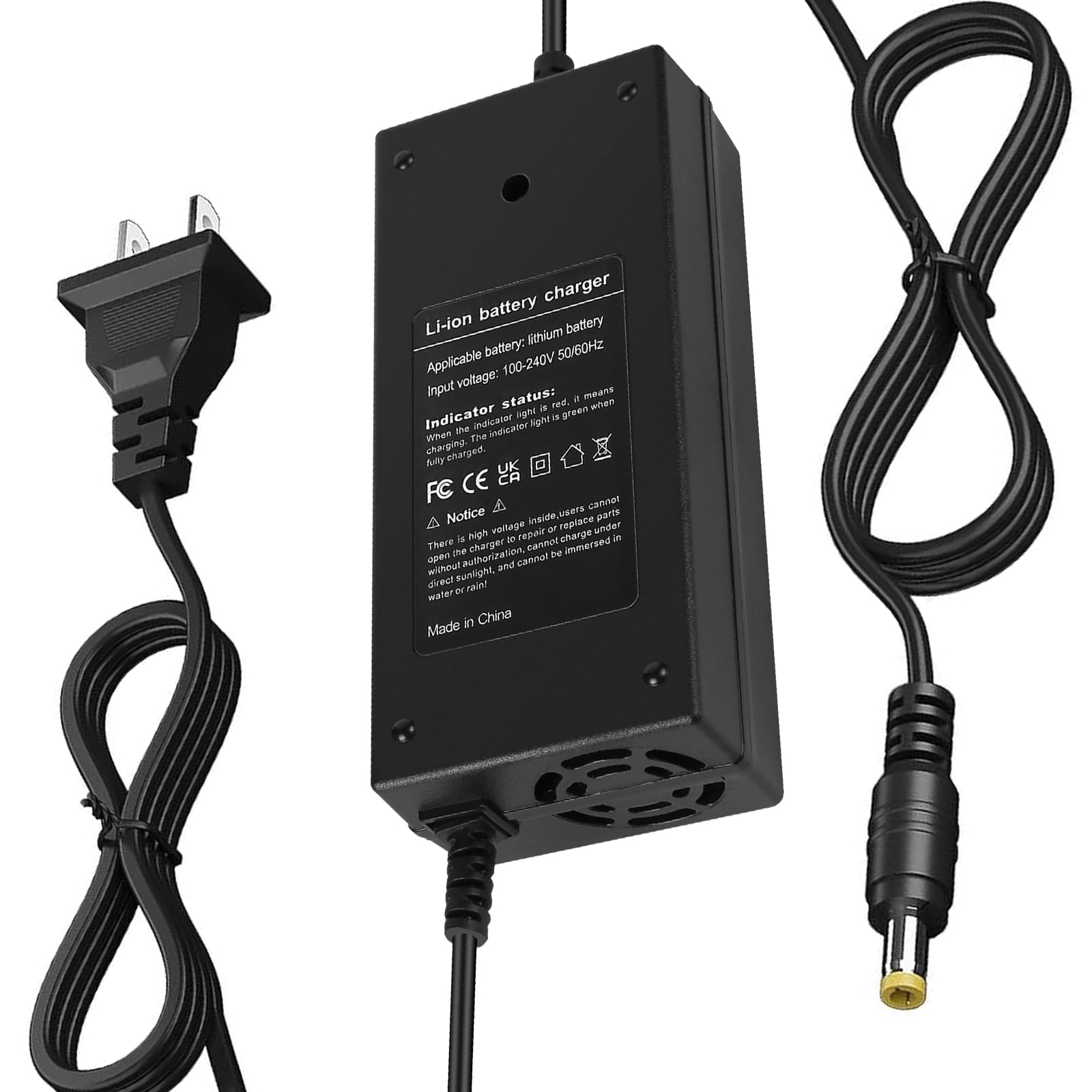
Understanding the LED indicator prevents confusion and helps diagnose issues early:
- Red Light: Charging in progress
- Green Light: Battery is fully charged (100%)
- No Light: No power check outlet or faulty charger
- Flickering Light: Loose connection or failing charger/battery
Warning: If the light stays green immediately after plugging in, the battery may not be receiving charge investigate further.
Hiboy Charger Compatibility and Safety
Use Only the Official Charger
Hiboy scooters require a 36V DC output charger. Using third-party or mismatched chargers even if they fit can:
- Overheat the battery
- Damage the Battery Management System (BMS)
- Void warranty
- Create fire hazards
The original Hiboy charger includes critical protections:
– Over-voltage shutdown
– Over-current cutoff
– Short-circuit prevention
Models Supported: S2, S2 Lite, S2 SE, S2 Nova, KS4, DK1, C1
Replacement Charger Cost and Specs
If you lose or damage your charger:
– Price: $29.00 to $30.00 (often discounted from $39.00)
– Warranty: 1-year coverage with genuine units
– Where to Buy: Official Hiboy website or authorized retailers only
Avoid cheap knock-offs on marketplaces they lack safety certifications and often deliver incorrect voltage.
Can You Use Power Banks or Car Chargers?
While technically possible, charging via power banks, solar panels, or car outlets is not recommended unless you are an expert.
To attempt it safely:
– Output must match exactly 36V and correct amperage
– Use insulated wires and proper DC connectors
– Verify voltage with a multimeter before connecting
– Never leave unattended
Risk: Mismatched voltage can cause thermal runaway leading to fire or explosion. Stick to the wall charger unless in emergency situations.
Maximize Battery Life with Smart Habits

Ideal Charging Range: 20% to 80%
For daily use, avoid charging to 100% or draining to 0%. Instead:
– Recharge when battery hits 20% to 30%
– Unplug at 70% to 80% for routine use
This reduces stress on lithium-ion cells and extends usable life toward the 1,000-cycle mark.
Why It Works: Deep discharges and full charges increase internal resistance, accelerating degradation.
Let the Scooter Cool Before Charging
After a long ride, wait 10 to 15 minutes before plugging in. Charging a hot battery:
– Increases internal temperature
– Reduces charging efficiency
– Shortens overall lifespan
Visual Cue: If the deck feels warm to the touch, let it sit. Charge only when at room temperature.
Avoid Overcharging
Although the charger auto-stops at 100%, leaving it plugged in for hours (e.g., overnight) still causes trickle stress.
Best Practice: Unplug as soon as the light turns green. Use a smart plug timer if you must charge while sleeping.
Environmental Conditions Matter
Charge Within Safe Temperature Range
Only charge when ambient temperature is between 10°C to 30°C (50°F to 86°F).
Charging outside this range leads to:
– Cold (<10°C): Slower charging, reduced capacity, possible lithium plating
– Hot (>30°C): Overheating, swelling, fire risk
Winter Tip: Bring the scooter indoors if stored outside. Let it warm up for 1 to 2 hours before charging.
Store Properly During Long Breaks
If not using your Hiboy for weeks (e.g., winter):
1. Charge battery to approximately 70%
2. Store in a cool, dry place away from sunlight
3. Recharge every 2 to 3 months to prevent deep discharge
Set a Calendar Reminder: Every 60 days, top up to 70% to preserve cell health.
Troubleshoot Common Charging Problems
No Lights When Plugged In
Possible Causes:
– Dead outlet
– Faulty charger
– Internal wiring disconnect
Fix:
1. Test outlet with another device
2. Try a known-working Hiboy charger
3. Inspect internal black/red wires near charging port (see repair section)
Quick Check: Plug charger into wall without scooter. If no light, the charger is likely dead.
Light Stays Green, Scooter Will not Charge
This usually means the charger detects no load battery is not accepting charge.
Common Issue (S2 Pro and Similar Models):
A loose internal black wire connects the battery to the charging port. Vibration can disconnect it under yellow tape near green/orange wires.
Repair Steps:
1. Remove deck using plastic pry tools
2. Locate wiring harness near port
3. Check black wire connection resolder if loose
4. Inspect red wire for pinch damage repair if needed
5. Reinforce joints with electrical tape and hot glue
6. Test continuity with multimeter before reassembly
Warning: Opening the scooter may void warranty. Only attempt if comfortable with electronics.
Wet Charging Port Prevents Charging
Moisture in the port breaks the circuit.
Solution:
– Wipe dry with lint-free cloth
– Let air dry for 1 to 2 hours
– Use silica gel packs nearby if humid
– Never charge until completely dry
Prevention: Always close the rubber cover after charging.
Swollen or Damaged Battery
Signs:
– Bulging casing
– Leaking fluid
– Cracks or burns
– Smell of chemicals
Action:
– Stop charging immediately
– Place in fire-safe area (e.g., concrete floor)
– Contact Hiboy support or replace battery ($89)
Fire Risk: Damaged lithium-ion batteries can ignite. Do not puncture or dispose of in regular trash.
Reset the Scooter When Stuck
Sometimes software glitches block charging or startup.
Perform a Hard Reset:
1. Turn off scooter
2. Locate reset button (near charging port or under deck)
3. Press and hold with a pin for 5 seconds
4. Release and power on
Try this before disassembling or replacing parts.
Model-Specific Charging Notes

Hiboy S2 vs. S2R Battery Design
| Feature | Hiboy S2 | Hiboy S2R |
|---|---|---|
| Battery Type | Fixed | Removable |
| Charging Location | On scooter only | On or off scooter |
| Port Protection | Rubber cover | Rubber cover |
| Seat Mount | Yes | No |
Advantage of S2R: Remove the battery to charge indoors ideal for cold climates or theft prevention.
Charging Cost and Efficiency
- Cost per Full Charge: $0.20 to $0.50 (based on electricity rates)
- Cost per Mile: Just $0.02 to $0.03
- Savings vs. Car: Up to 95% cheaper per mile
Save More: Charge during off-peak utility hours (e.g., late night) if your provider offers lower rates.
Safety First: Prevent Fires and Damage

Never Charge Unattended for Long Periods
Even with smart chargers:
– Do not leave charging overnight regularly
– Avoid charging on carpets, beds, or flammable surfaces
– Keep away from children and pets
Best Location: Hard floor, near smoke detector, in ventilated area.
Use Physical Locks When Charging Publicly
The app lock disables the motor but will not stop theft.
Always use a U-lock or heavy-duty chain when charging in public even briefly.
Recognize When to Replace the Battery
After 1 to 3 years or 500+ cycles, expect reduced range and longer charge times.
Replace if:
– Takes over 7 hours to charge
– Holds charge for less than 1 mile
– Shows sudden power drops
Replacement Cost: $89 for official Hiboy battery pack.
Frequently Asked Questions About Charging Hiboy Scooters
How long does it take to fully charge a Hiboy scooter?
A full charge typically takes 4 to 6 hours, with 5 hours being the average. Most users find that leaving it plugged in overnight works well, though you should unplug once the light turns green to avoid unnecessary stress on the battery.
Can I use a third-party charger for my Hiboy scooter?
It is not recommended. Third-party chargers may not match the exact 36V output required by Hiboy scooters, which can damage the Battery Management System, void your warranty, or create fire hazards. Stick with the official Hiboy charger for safety.
What do the red and green lights mean on the Hiboy charger?
The red light indicates the scooter is currently charging. The green light means the battery is fully charged at 100%. If the light stays green immediately after plugging in, the battery may not be receiving charge and troubleshooting is needed.
Is it okay to leave my Hiboy scooter charging overnight?
No, this is not recommended. While the charger has auto-shutoff at 100%, leaving it plugged in for hours causes trickle stress that reduces battery lifespan over time. Unplug as soon as the light turns green.
How often should I charge my Hiboy scooter battery?
For daily use, recharge when the battery drops to 20% to 30% and unplug at 80%. Avoid fully draining the battery to 0%. If storing the scooter, charge to 70% and recharge every 2 to 3 months.
What should I do if my Hiboy scooter will not charge?
First, check that the outlet works and the charger LED lights up. If the light stays green when connected to the scooter, you may have a loose internal wire near the charging port. Try resetting the scooter or inspect for moisture in the port.
Key Takeaways for Charging Your Hiboy Scooter
Charging your Hiboy scooter correctly ensures years of reliable, low-cost transportation. Stick to the official 36V charger, avoid extreme temperatures, and follow the 20% to 80% rule for daily use to maximize your battery lifespan up to 1,000 charging cycles.
If charging fails, check connections first, reset the system, and inspect for moisture or damage. The most common fix for a green light staying on is reconnecting a loose black wire inside the deck near the charging port.
With proper care, your scooter battery will deliver hundreds of rides safely and efficiently. Remember to charge in a well-ventilated area, never leave it unattended overnight, and replace the battery ($89) when you notice significant range loss after 1 to 3 years of use.



