
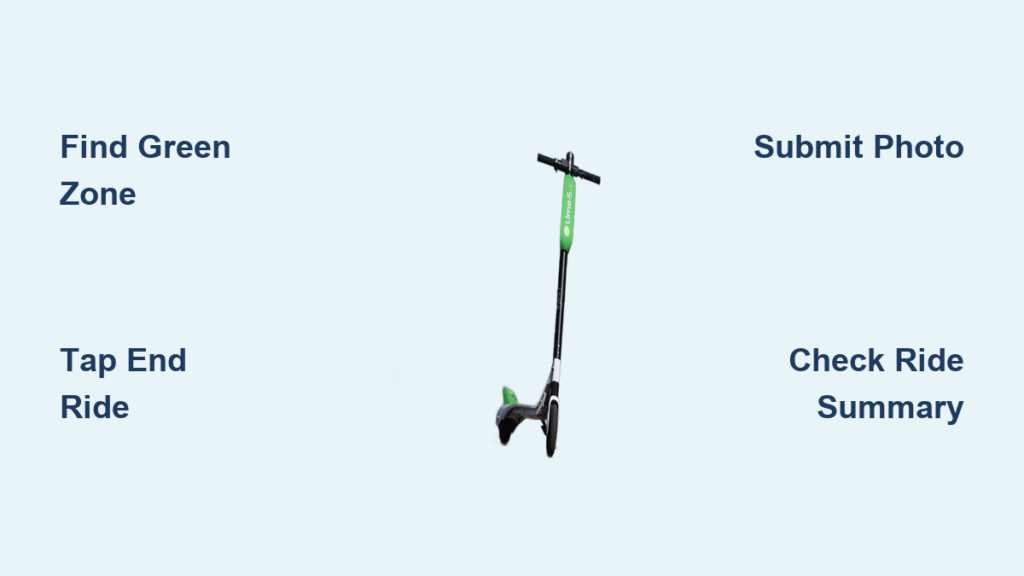
You’ve reached your destination and need to stop your Lime scooter, but ending the ride isn’t as simple as stepping off. A missed step can lead to extra fees, ongoing charges, or even a lost vehicle penalty. Knowing how to stop a Lime scooter the right way is essential for safety, compliance, and cost control.
The process combines digital actions in the app with real-world parking rules. You must end your ride in a designated zone, submit a photo of the parked scooter, and ensure all technical systems are functioning properly. This guide breaks down every step clearly so you avoid common pitfalls and end your ride smoothly.
Find a Valid Parking Zone

Before you tap End Ride, you must be in the right location. Lime uses GPS-based geofencing to enforce parking rules, and ending a ride outside approved areas triggers penalties.
Check Green or Yellow Zones
Open your Lime app and look for green or yellow zones on the map. These indicate approved areas where you can legally end your ride.
Green zones are fully approved for parking. Yellow zones are conditionally approved and may require extra care in placement. Red zones are strictly prohibited. Attempting to end here will block ride termination.
Always navigate to a green or yellow pin shown in the app. Do not assume a spot is valid just because other scooters are parked there. Many users ignore rules and leave vehicles in red zones.
Avoid Restricted Areas
Even if the app shows a green zone, avoid parking in these high-impact locations.
• In front of building entrances or driveways
• Blocking sidewalks, crosswalks, or disability ramps
• Near fire hydrants, bus stops, or street corners
• On private property or in water
Parking in these spots, even in a green zone, can still result in fines or failed verification.
End Ride in the App

Once you are in a valid zone, it is time to terminate the rental digitally. This step locks the scooter and stops billing.
Tap End Ride to Begin
With the scooter upright and kickstand down, follow these steps.
- Open the Lime app
- Tap the End Ride button at the bottom center of the screen
- Wait for the app to verify your location
The app will now verify your location. If you are not close enough to a parking pin, it will prompt you to move closer, even by a few feet.
Stand near the scooter while doing this. Moving away too soon may disrupt GPS or camera access.
Confirm Location Before Proceeding
If the app detects you are outside a valid zone, it will display a warning. You are not in an approved parking area.
In this case, do not force the end. Follow the map back to the nearest green or yellow pin. Wait for the app to confirm proximity before retrying.
Trying to bypass this step often results in post-ride fines of $10 to $25.
Submit a Parking Photo

After location verification, the app requires visual proof that the scooter is parked responsibly.
Take a Clear Verification Photo
You will be prompted to take a photo showing the scooter upright with kickstand deployed. The photo must not show obstruction to pedestrian paths or access points. The scooter must not be submerged, leaning dangerously, or in restricted terrain.
Hold your phone at scooter level, about 6 to 10 feet away, and capture the full vehicle in frame.
A good photo shows the scooter standing straight with clear sidewalk space around it. A bad photo is blurry, too close, or shows a blocked doorway or red zone sign.
If the image fails AI review, common with poor lighting or angles, you may receive a follow-up request or fine.
Submit Immediately After Stopping
Do not delay. Submit the photo right after ending the ride. Delayed uploads increase the risk of system timeouts, billing continuation, and misinterpretation as improper parking.
Some cities use automated image analysis to detect violations within minutes.
Troubleshoot Failed Ride Endings
Sometimes the app will not let you stop the ride, even when you are in a green zone. Here is how to fix common issues.
Fix GPS Accuracy Issues
GPS errors are the number one cause of failed ride endings.
Symptoms include the app saying Move closer to pin despite being on site and the blue dot jumping around erratically.
Solutions include restarting the app, enabling high accuracy mode on your phone, moving the scooter slightly, and waiting 30 seconds for location to stabilize.
Avoid ending rides near tall buildings or under heavy tree cover where signals weaken.
Restore Internet Connection
No internet means no ride termination.
If you see spinning icons or error messages, switch from Wi-Fi to mobile data or vice versa. Toggle airplane mode on and off. Ensure background app refresh is enabled for Lime.
Photos and GPS data require upload bandwidth. A weak signal can stall the process.
Update Payment Method
An expired card or insufficient funds can block ride closure.
Before ending your ride, go to Wallet in the Lime app. Confirm your default payment method is active. Add a backup card if needed.
If billing fails, Lime may keep the ride open until resolved, leading to hours of extra charges.
Handle Cable Lock Models
Some Lime scooters have integrated cable locks.
After ending the ride, wrap the cable around a fixed object like a bike rack. Lock it manually via the app. Take a photo showing the locked position.
Failure to engage the lock may result in theft alerts and fees.
Use Pause Mode for Short Breaks
Need to run into a store? Use Pause instead of ending the ride, but only for brief stops.
Activate and Resume Safely
Tap Pause in the app to temporarily suspend the ride. Billing switches to a per minute pause rate, typically higher than the ride rate. Tap Resume to restart when ready.
Average pause cost is $0.30 to $0.60 per minute, varying by city.
Avoid Long Pauses
Leaving a scooter paused for more than 5 to 10 minutes becomes expensive. For longer stops, end the ride properly and restart a new one later.
Extended pauses increase theft risk and user fees.
Prevent Extra Fees and Penalties

Stopping a Lime scooter incorrectly leads to avoidable charges. Know what triggers them and how to prevent each one.
Avoid Red Zone Fines
Parking in a red zone typically results in a $15 to $25 fine.
Prevention strategies include always checking the map before dismounting, never relying on visual cues from other parked scooters, and using the Learn more about zones link in the app for local rules.
Cities often update zone boundaries. Review them periodically.
Stop Ongoing Charges
If your ride does not end, charges continue until you successfully close it, support intervenes, or the battery dies, which can take hours.
To prevent this, confirm the ride summary screen appears. Check your email for a receipt. If stuck, contact Lime support immediately with your ride ID.
Skip Lost Vehicle Fees
A lost vehicle fee of $25 to $50 applies if the scooter remains active after misuse, it is reported stolen due to improper parking, or no photo is submitted.
Always complete the full end sequence to avoid this.
Follow Community Parking Rules
Lime relies on shared responsibility. Proper parking keeps cities accessible and services running.
Park Like a Pro
Best practices include placing the scooter parallel to the curb or bike rack. Leave at least 3 feet of sidewalk clearance. Never block ADA ramps or transit stops. Keep away from landscaping or storm drains.
Think. Would someone using a wheelchair or stroller have to detour?
Report Bad Parking
See a scooter in the street or blocking a door? Report it in the app.
- Open the Lime app
- Tap the offending scooter icon
- Select Report then Improperly Parked
- Add a note or photo
This helps Lime dispatch teams and improves community safety.
Key Takeaways for Stopping Your Lime Scooter
To stop a Lime scooter correctly and avoid fees, follow these six steps.
- Locate a green or yellow zone on the app map
- Ride to the pin. Do not guess the location
- Bring the scooter to a full stop with kickstand down
- Tap End Ride and wait for location confirmation
- Take and submit a clear photo of the parked scooter
- Verify the ride summary appears before walking away
If the ride will not end, check your GPS accuracy, internet connection, and payment method status.
Frequently Asked Questions About Stopping a Lime Scooter
Why does my Lime scooter not let me end the ride?
The app may not let you end the ride if you are not in a valid parking zone, if GPS accuracy is poor, if you have no internet connection, or if your payment method has issues. Check all these factors and try again.
What happens if I just leave the scooter without ending the ride?
If you leave without ending the ride, charges continue until the battery dies or support intervenes. You may also receive a lost vehicle fee of $25 to $50 and potentially be fined for improper parking.
Can I pause my Lime ride instead of ending it?
Yes. Use the Pause feature for short breaks. Be aware that pause mode charges per minute, typically $0.30 to $0.60, which is higher than the ride rate. For stops longer than 10 minutes, end the ride and start a new one later.
What does a red zone mean on Lime?
Red zones are restricted areas where parking is prohibited. Attempting to end a ride in a red zone will block termination and may result in fines of $15 to $25. Always move to a green or yellow zone before ending your ride.
Why was my parking photo rejected?
Photos may be rejected if the image is blurry, too close, or shows the scooter blocking a pathway, doorway, or red zone sign. Take a clear photo from 6 to 10 feet away showing the scooter upright with the kickstand down and clear space around it.
How do I report an improperly parked Lime scooter?
Open the Lime app, tap the offending scooter icon, select Report, choose Improperly Parked, and add a note or photo. This helps Lime dispatch teams remove misplaced scooters.
Final Thoughts on Stopping a Lime Scooter Properly
Knowing how to stop a Lime scooter properly protects your wallet and supports safer, more equitable urban mobility. By following app guidance, respecting parking zones, and submitting clear photos, you help keep sidewalks clear and rides available for everyone.
The key is to always check the map for green or yellow zones before arriving at your destination. Take the parking photo immediately after ending the ride, and verify the ride summary appears before walking away. If technical issues arise, check your GPS, internet connection, and payment method before contacting support.
The next time you hop off a Lime scooter, do it right. End your ride with confidence and avoid unnecessary fees.



