
Knowing how to fold a Ninebot scooter correctly is essential for commuters, students, and travelers who need portable transportation. Whether you’re hopping on the subway, storing your scooter under a desk, or packing it in a car trunk, mastering the folding mechanism saves time and protects your investment. This guide covers every major Ninebot model, from the popular F Series to the F3, ZT3, and G3, with exact steps you can follow in under a minute.
You’ll learn the specific folding technique for your model, how to unfold safely, troubleshooting tips for common problems, and maintenance advice to keep the mechanism working smoothly for years.
F Series: Downward Fold Steps

The Ninebot F20, F25, F30, F40, and F28 use a downward folding mechanism where the handlebar stem lowers straight toward the deck. This design creates a compact package ideal for storage and transport.
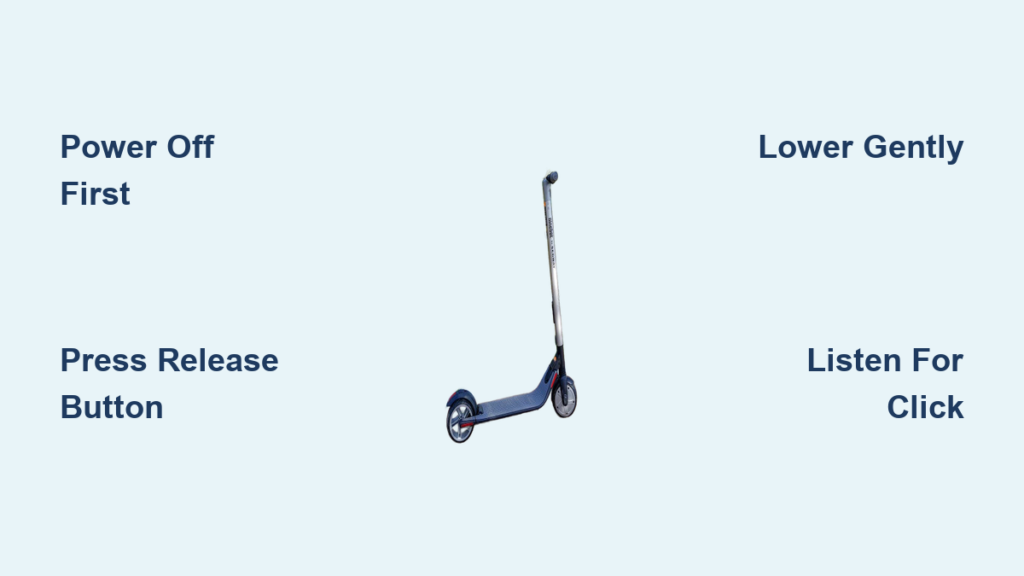
Power Off First
Always turn your scooter completely off before folding. This prevents accidental motor activation and ensures electronic safety locks do not interfere with the mechanical folding process. Never attempt to fold while the scooter is powered on or charging.
Locate the Release Button
Find the folding release button on the rear side of the steering stem, just above the deck. It is typically a small, recessed button or lever near the hinge point. Some models have an additional latch near the rear wheel, so check both areas if folding feels stuck.
Press and Lower Gently
Press and hold the release button firmly with one hand. With the other, gently push the handlebar straight down toward the deck. Use smooth, steady pressure. Do not force the mechanism.
The mechanism requires precise pressure rather than brute force. Applying too much strength can damage internal pins and void your warranty.
Confirm the Click
Keep lowering until you hear and feel a distinct click. This means the folding lock has engaged. The handlebar should rest securely against the body with no wobble. Your scooter is now folded and ready to carry or store.
Unfolding the F Series
Unfolding is just as important as folding, especially ensuring the handlebar locks securely before riding.
Stand on Flat Ground
Place the scooter upright on a level surface. Tilted angles prevent proper pin alignment and can lead to incomplete locking. A flat pavement or indoor floor works best.
Lift and Extend
Grasp the handlebar and lift it upward to the vertical position. You will feel slight resistance near the top as the mechanism aligns.
Push Forward to Lock
Once upright, push the stem forward slightly until it clicks. This final motion engages the riding lock. You should feel firm resistance and hear a solid click.
Test Handlebar Stability
Grab the handlebar and try to wiggle it side to side. If it moves, the lock did not engage. Repeat the unfolding process carefully. Never ride if the handlebar wobbles.
F3, ZT3, G3: Side-Swing Fold Steps
The Ninebot F3, ZT3, and G3 use a side-swing folding design. Instead of dropping downward, the handlebar lifts and rotates sideways for ultra-compact storage.
Lift the Handlebar
With both hands, press upward on the handlebar. This releases the primary pivot lock. The stem will begin to rise slightly, which is normal.
Look for small secondary levers near the base. If present, disengage them before lifting.
Swing Sideways
Once lifted, rotate the entire handlebar assembly to the side, either left or right, until it lies flat against the scooter body. The motion is smooth and arc-like.
Secure Against Frame
Continue the swing until the handlebar clicks into place against the frame. It should sit flush and stay put without support. Your scooter is now in its compact folded form.
Unfolding F3/ZT3/G3 Models
Release the Side Lock
Unlock the lateral mechanism by pulling a tab or simply lifting the handlebar from its side position. The exact method varies slightly by model.
Pull Down and Extend
Grasp the handlebar and pull it downward from the side-mounted position. Extend it fully to the upright riding height.
Lock Forward with a Click
Push the stem forward until it clicks into the locked position. This ensures stability during rides.
Final Wobble Test
Shake the handlebar gently. No movement means it is secure. If loose, repeat the locking motion.
Why Won’t My Ninebot Fold?
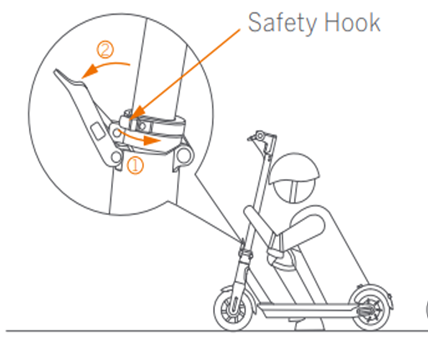
Resistance during folding is common but usually fixable. Here is how to diagnose and resolve folding problems fast.
Handlebar Refuses to Collapse
The most common causes include uneven ground surface, insufficient release button pressure, and incorrect folding sequence.
Move the scooter to a perfectly flat surface. Even slight inclines misalign internal locking pins.
Ensure you press the release button fully before and while pushing down. Hold the button for three to five seconds with gentle, steady pressure.
Handlebar Stuck in Upright Position
Check three things first. The scooter may still be powered on, so turn it completely off. There could be a secondary lock engaged, so inspect for small levers near the hinge. The scooter might be in transport mode, so perform a hard reset.
Try a Hard Reset
Turn the scooter off. Wait ten seconds. Power it back on. Then try folding again. This clears temporary software glitches that may block mechanical movement.
Keep your Ninebot app updated. Firmware updates often fix electronic interlock bugs that prevent folding.
Folding Safety Warnings
A poorly folded or unlocked scooter is dangerous. Follow these rules every time.
Never Ride with a Loose Stem
Even slight wobble means the lock is not engaged. This can cause sudden handlebar collapse at speed, leading to falls or crashes. Always test stability before riding.
Avoid Forcing the Mechanism
These are precision-engineered locks. Forcing them damages internal pins and voids your warranty. If resistance occurs, troubleshoot first rather than forcing the fold.
Always Verify the Click
The audible click is your only reliable indicator of a secure lock, both when folding and unfolding. If you do not hear it, the mechanism is not locked.
Maintenance for Smooth Folding

Keep your folding mechanism working flawlessly with simple regular care.
Clean the Hinge Regularly
Dirt, sand, and debris in the hinge can jam the lock. Wipe the folding joint with a dry cloth after riding in wet or dusty conditions.
Check for Wear
Inspect the release button and latch monthly. If the button feels loose or does not spring back properly, contact Segway support for replacement parts.
Lubricate Sparingly
Only use dry silicone spray on the hinge pin if movement feels stiff. Never use oil because it attracts dust and causes gumming. Apply a light mist once every six months.
Portability: Where Can You Take a Folded Ninebot?
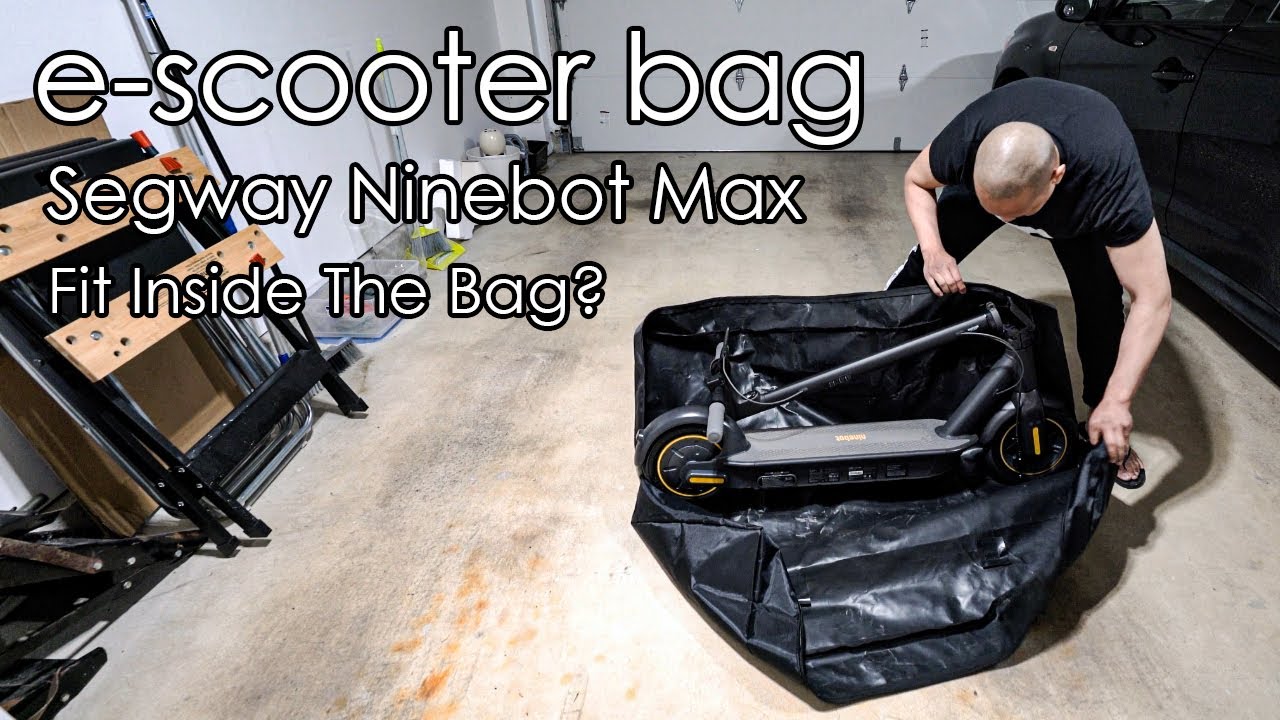
Once folded, your scooter becomes highly portable across many scenarios.
Public transit systems welcome folded scooters on buses, subways, and trains. Office storage is easy with the compact form that fits under desks or in closets. Car trunks accommodate folded scooters more easily than unfolded ones. Air travel is permitted in cargo holds, though you should check specific airline battery regulations.
Smaller models like the F20 and F3 are light enough to carry like luggage, making them ideal for students, travelers, and urban commuters.
When to Contact Support
If your scooter still will not fold after troubleshooting, professional help may be needed.
Contact Segway support when the release button is broken or stuck, the stem clicks but remains loose, or the handlebar will not lift or swing freely.
Reach out through these channels. Call 1-866-4SEGWAY for urgent matters. Email support@segway.com for non-urgent issues. Use live chat at support.segway.com during business hours. Find authorized service centers online for mechanical repairs.
Replacement parts including latches, buttons, and pins are available through official channels.
Key Takeaways for Folding Your Ninebot Scooter
Knowing how to fold a Ninebot scooter correctly saves time, protects your investment, and keeps you safe. Whether you own an F Series with downward fold or an F3, ZT3, or G3 with side-swing, the process follows three simple rules. Power off first. Press the button and move gently. Always listen for the click.
Avoid forcing the mechanism, check that your surface is level, and test stability before riding. With proper use, the tool-free mechanism will last for thousands of folds. Now you are ready to fold fast, carry easy, and ride safely anytime, anywhere.
Frequently Asked Questions About Folding a Ninebot Scooter
How do I know if my Ninebot scooter is fully folded?
You will hear and feel a distinct click when the folding lock engages. The handlebar should rest securely against the body or deck with no wobble. If there is no click, the mechanism is not locked.
Can I fold my Ninebot while it is turned on?
No. Always turn the scooter completely off before folding. Powering off prevents accidental motor activation and ensures electronic safety locks do not interfere with the mechanical folding process.
Why does my Ninebot handlebar resist folding?
Common causes include uneven ground surface, insufficient release button pressure, or a secondary lock engaged. Move to flat ground, press the button fully, and check for small levers near the hinge that may need disengaging.
How do I unfold my Ninebot F3, ZT3, or G3?
Release the side lock by pulling the tab or lifting the handlebar. Pull it downward from the side position, extend to full height, then push forward until it clicks into the locked vertical position.
What should I do if the folding mechanism is stuck?
Try a hard reset by turning the scooter off, waiting ten seconds, and powering it back on. Check for debris in the hinge and clean it if needed. If the problem persists, contact Segway support for professional assistance.



