
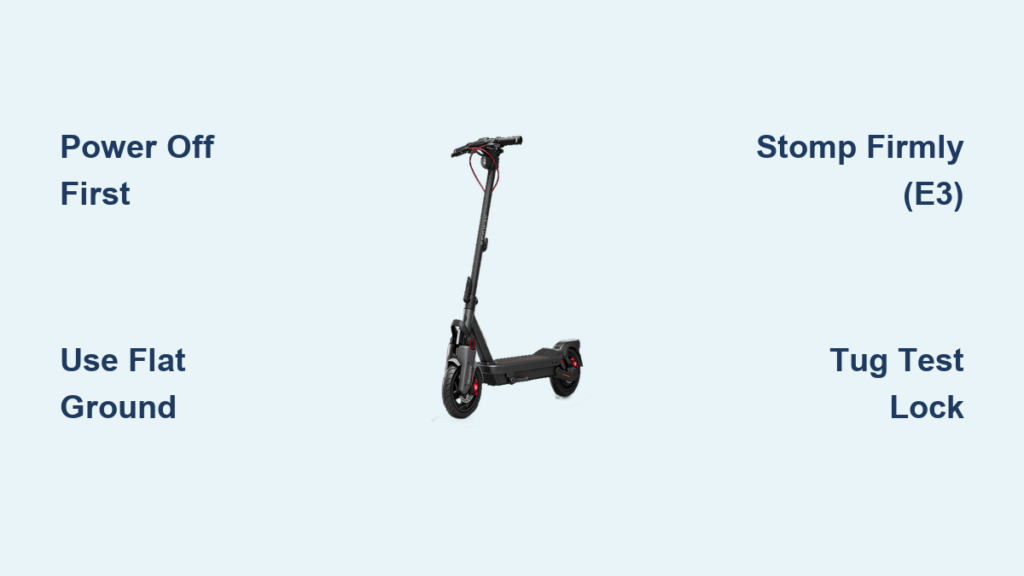
Folding your Segway scooter correctly is essential for portability, storage, and long-term durability. Whether you’re commuting on public transit, storing it in a car trunk, or tucking it under a desk, knowing how to fold a Segway scooter safely and efficiently makes all the difference. This guide covers the precise steps for both the E3 series and F series models, highlighting key differences, troubleshooting tips, and safety practices.
With clear, model-specific instructions, you’ll avoid common mistakes like forcing the mechanism or folding while powered on, ensuring a smooth, reliable experience every time you need to collapse your scooter for transport or storage.
Power Off Before Folding Your Segway Scooter
Always turn off your Segway scooter before attempting to fold it. Leaving the device powered on can prevent the folding mechanism from releasing or engaging properly. For all models, press and hold the power button for about 3 seconds until all LED lights go dark.
This confirms the system is fully shut down. Attempting to fold while the scooter is active may trigger safety locks, leading to resistance or potential damage. Ensure the battery is securely seated in the deck. A loose battery can interfere with internal sensors and folding mechanics.
Also confirm the scooter is completely stationary. Never fold while riding or in motion. The scooter must be motionless with no weight on it before you begin the folding process.
Fold on Flat, Stable Ground
Choose a level surface free of slopes or uneven terrain. Folding on an incline increases the risk of the scooter tipping over or the stem collapsing unevenly. It also puts stress on the hinge mechanism, which can lead to misalignment over time.
Inspect the area around the folding joint. Look for dirt, sand, or debris near the stem base or rear latch. Use a dry cloth to wipe away any buildup. Grit inside the hinge can jam the locking pin, making folding difficult or incomplete.
For E3 models, retract the kickstand fully before starting. It must not block the folding path of the handlebar stem. A retracted kickstand ensures smooth collapse without snagging.
How to Fold Segway E3 Series Scooters

The E3 uses a foot-activated switch on the stem, requiring heel pressure to release. This design provides robust locking but requires specific physical engagement to work properly.
Locate the Folding Switch
Find the red or orange lever on the handlebar stem, just below the grip. This is the primary release. Pull it upward with your hand to disengage the lock. You should hear a soft click, indicating the latch is free.
Hold the brake lever down throughout the process. This stabilizes the scooter and prevents wheel movement when applying force. Without holding the brake, the scooter may roll away during folding.
Step on the Folding Switch
Position the heel of your shoe directly over the switch. Apply firm, vertical pressure. Think of a quick stomp rather than gradual pressure. The mechanism has spring tension, so hesitation can prevent full release.
Keep your other hand on the handlebar to control the descent. Never let go once the stem starts moving. Using a shoe with a firm sole is essential. Bare feet or soft slippers won’t provide enough leverage.
Lower and Secure the Stem
Guide the handlebar down slowly toward the deck. Avoid letting it drop suddenly, which could damage the display or wiring. Maintain control throughout the downward motion.
Before folding, ensure the hanging loop on the stem is open. Once the stem is flat, hook this loop onto the metal peg on the rear fender. Pull it tight to secure. The loop must click into place, not just rest on the peg.
Verify the Lock
Tug gently on the handlebar to confirm it won’t unfold. The hanging loop should be fully latched, and the folding lever should remain depressed. If it pops back up, repeat the stomp with more force.
This tug test is critical before carrying your folded scooter. An unlocked stem can suddenly unfold, causing the heavy deck to swing down and injure your foot or damage the scooter.
How to Unfold Segway E3 Series Scooters
To prepare your E3 for riding, follow these unfolding steps. First, unhook the hanging loop from the rear fender. Then lift the handlebar smoothly upward.
Continue lifting until the folding button at the base clicks into the foot pedal mechanism. You should hear an audible click as the internal latch engages.
Confirm the stem is vertical and locked before turning on the scooter. If the stem doesn’t lock, check for debris or ensure the scooter is powered off during unfolding.
How to Fold Ninebot F Series Scooters
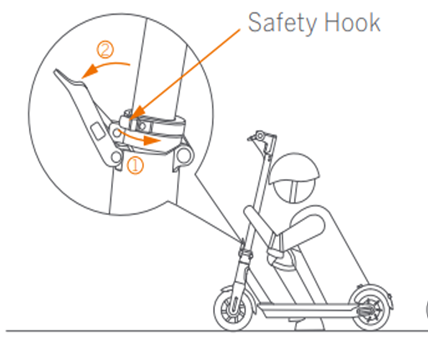
The F series uses a rear-mounted hand lever instead of a foot switch. This design is marketed as tool-free and engineered for high-cycle durability.
Find the Rear Release Lever
Look near the base of the stem where it connects to the rear frame. A distinct lever or button will be visible beside the rear wheel. This is the main release point.
Ensure the scooter is powered off. Some F models have electronic interlocks that prevent folding if the system detects power. Always double-check that all LED lights are off.
Press and Fold Simultaneously
Press down firmly on the release lever with your hand. While holding it, apply gentle downward pressure on the handlebar. Do not yank the stem.
Instead, use steady, controlled force. If resistance occurs, try lifting the front wheel slightly off the ground. Tilting the scooter forward by 10 to 15 degrees helps align internal pins and reduces friction.
Lock the Folded Position
Lower the handlebar until it lies flat against the deck. You should hear a distinct click as the internal latch engages.
Perform a tug test. Pull upward on the folded stem. If it moves or unfolds, the lock didn’t engage. Repeat the process, ensuring the lever is fully pressed during descent.
How to Unfold Ninebot F Series Scooters
To unfold your F series scooter, press the rear release lever again. This disengages the internal lock holding the stem in place.
Lift the handlebar upward in one smooth motion. Let it rise until it snaps into the upright position with a firm click. The mechanism is designed to self-lock when fully extended.
Confirm the stem is locked before riding. Avoid using excessive force when lifting. The mechanism should engage naturally without forcing.
Troubleshoot Stuck Folding Mechanisms
Even with proper technique, issues can arise. Here are solutions for common problems.
Handlebar Won’t Fold
The release may not be activated during folding. For E3, stomp harder on the switch while holding the brake. For F series, press the rear lever and push down on the handlebar at the same time.
Power may still be on. Restart the scooter, hold the power button for 3 seconds, then try again. Dirt in the hinge can also cause binding. Clean the folding joint with a dry cloth. Do not use water or lubricants unless specified by Segway.
For F series, lift the front wheel slightly while folding. This realigns the internal pin and reduces binding. The angle change often frees stuck mechanisms.
Stem Won’t Stay Locked When Folded
The hanging loop may not be fully hooked on E3 models. Re-hook the loop onto the rear fender peg. Ensure it clicks into place and isn’t just resting on it.
For F series, the latch may not be engaged. Push the stem down further while holding the release lever. Listen for the click. If it still fails, inspect for cracks or wear on the latch.
If the stem feels loose or wobbly, stop using the fold function. Contact Segway support for repair. Forcing it may worsen the issue and cause permanent damage.
Carry Your Folded Scooter Safely
Once folded, always perform a tug test before lifting. An unlocked stem can suddenly unfold, causing the heavy deck to swing down and injure your foot or damage the scooter.
For E3 models, carry by the handlebar stem with the hanging loop secured. This keeps the stem stable and prevents accidental unfolding. Grip the area just below the handlebar.
F series models often have a built-in carrying handle near the stem base. Use it if available. Otherwise, grip the handlebar firmly and keep the scooter close to your body.
Avoid carrying by the brake lever or display unit. These parts aren’t designed to bear the full weight and could break under stress.
Maintain Your Folding Mechanism
Regular maintenance ensures long-term reliability. Inspect the folding lever, hinge, and latch monthly for cracks, looseness, or wear.
Wipe the joint clean after riding in dusty or muddy conditions. Accumulated debris can prevent the latch from engaging properly and cause premature wear.
Do not apply oil or grease to the folding mechanism unless instructed by Segway. Most models use dry, self-lubricating bushings. Adding lubricant can attract dirt and cause clogging.
Store the scooter in a dry place. Prolonged exposure to moisture can corrode metal components and weaken the spring tension in the lock.
Avoid Common Folding Mistakes
Several mistakes can damage your scooter or cause injury. Never fold while powered on. This prevents lock release and may damage electronics.
Don’t forget to hold the brake on E3 models. This reduces stability and makes stomping less effective. Always use two hands. One to operate the release, one to guide the stem.
Avoid yanking the stem. This can bend pins or break latches. Use steady, controlled pressure instead.
Ignore debris and the mechanism will jam. Clean the hinge regularly to prevent this issue.
Never carry without testing the lock. This risks sudden unfolding and injury. Always perform the tug test before lifting your folded scooter.
Practice Folding at Home
New riders should practice folding and unfolding indoors. Use a carpeted garage or living room to minimize risk. Repeat the process 3 to 5 times until it becomes muscle memory.
This builds confidence for real-world use. You’ll be ready to fold on a crowded sidewalk or in a dimly lit subway station without hesitation.
If your scooter feels different from the description, consult online user forums. Many owners share small technique tweaks, like the lift front wheel trick for F series models.
Know Your Model’s Design Differences
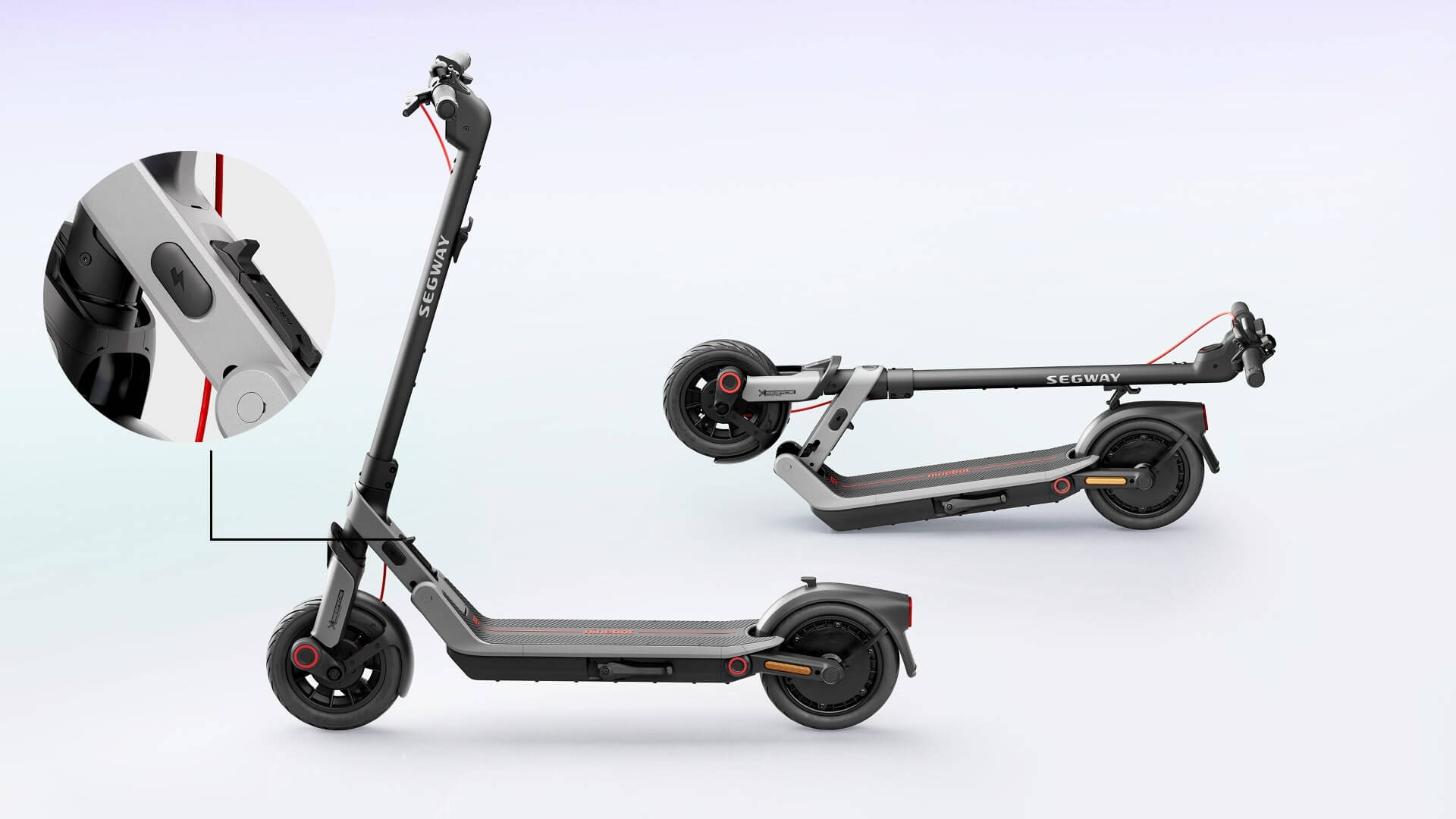
Understanding the differences between E3 and F series prevents confusion when switching between models.
| Feature | E3 Series | F Series |
|---|---|---|
| Release Type | Foot switch on stem | Hand lever on rear frame |
| Activation | Heel stomp plus brake hold | Press lever plus push down |
| Lock Feedback | Hanging loop plus click | Snap-click latch |
| Best Carry Method | By handlebar with loop secured | By handle or built-in grip |
| Common Issue | Stiff switch | Hinge debris |
The E3 requires more physical leverage while the F series prioritizes tool-free operation. Both provide auditory and tactile feedback when locked.
Final Safety Reminders for Folding
Never fold while riding. This can cause immediate loss of control and serious injury. The scooter must be completely stationary before attempting to fold.
Keep fingers clear of pinch points at the hinge during folding and unfolding. The mechanism can trap skin and cause painful injuries.
Check before transport. Always verify the lock is secure before placing the scooter in a car or on a train. A failed lock during transport can damage the scooter or injure others.
Refer to your manual for specific variations between F20, F30, and E3 Plus models. Small differences exist between versions that may affect the folding process.
Frequently Asked Questions About Folding Segway Scooters
Why won’t my Segway scooter fold?
The most common reasons are that the scooter is still powered on, the release mechanism isn’t fully activated, or debris is blocking the hinge. Try powering off completely, applying more force to the release, and cleaning the hinge with a dry cloth.
Can I fold my Segway while it’s still on?
No. Folding while powered on can trigger safety locks that prevent the mechanism from engaging. Always turn off your scooter before folding. Press and hold the power button for 3 seconds until all LED lights go dark.
How do I know if my Segway is properly folded?
Perform a tug test by pulling on the handlebar after folding. If it stays in place without moving, the lock is engaged. For E3 models, also verify the hanging loop is securely hooked onto the rear fender peg.
Which Segway model is easier to fold, E3 or F series?
The F series is generally considered easier because it uses a hand lever rather than requiring foot pressure. However, both become simple with practice. The E3 requires more physical effort but offers robust locking.
What should I do if my folding mechanism feels stiff?
Clean the hinge area with a dry cloth to remove debris. For E3 models, ensure you’re using the heel of a sturdy shoe. Avoid using lubricants unless specifically recommended by Segway.
Key Takeaways for Folding Your Segway Scooter
Mastering how to fold a Segway scooter takes just minutes but protects your investment and keeps every ride hassle-free. Always power off before folding and choose a flat, stable surface. Use two hands. One to operate the release mechanism and one to guide the stem.
Practice the folding motion several times at home before attempting it in public. This builds muscle memory and confidence. Remember the key differences between E3 and F series models. The E3 uses a foot switch while the F series uses a rear hand lever.
Perform a tug test before carrying your folded scooter. This simple step prevents accidents from sudden unfolding. Keep the folding mechanism clean and dry for long-term reliability.



