
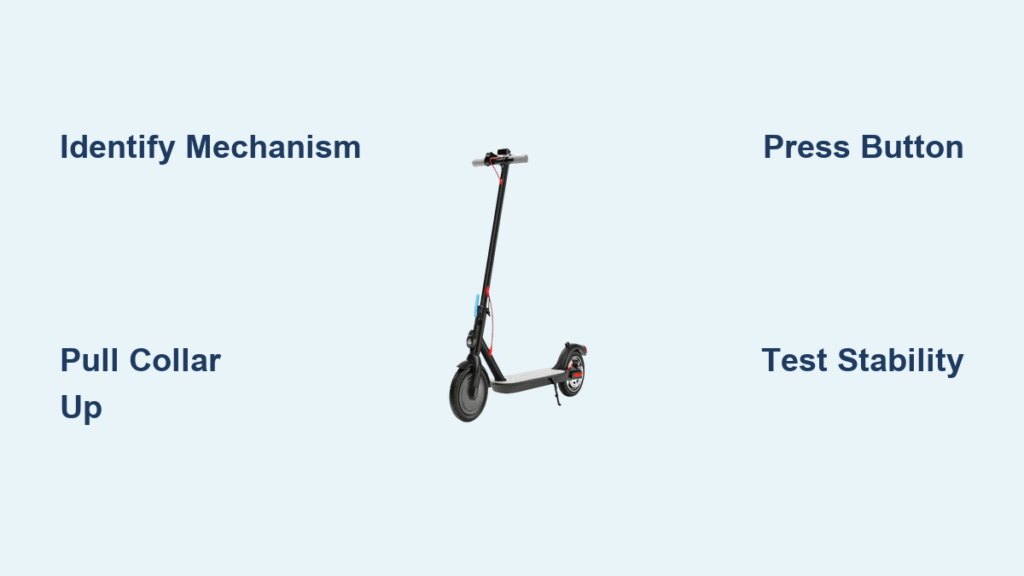
You’re ready to ride, but your scooter won’t stay upright. The handlebars wobble, the stem won’t lock, or the button won’t budge. Whether you’re a commuter, parent, or casual rider, knowing how to unfold a scooter correctly and safely is essential. Most folding scooters use one of four mechanisms: collar-based, button-controlled, lever-and-knob, or removable stem systems. Each has unique steps, common issues, and maintenance needs.
This guide breaks down how to unfold a scooter based on its locking system, with clear instructions, troubleshooting tips, and pro advice for smooth operation. You’ll learn how to identify your model, avoid dangerous mistakes, and keep your scooter reliable for years.
Identify Your Scooter Mechanism Before Unfolding

Before unfolding, determine your scooter’s locking type. The mechanism dictates the steps and tools needed. Most scooters fall into one of four categories.
Check the base of the handlebar stem or under the deck. Look for specific features that indicate your mechanism type.
• Collar-based: Look for a sliding collar around the stem just above the deck
• Button-controlled: Look for a release button or lever near the front wheel or under the deck
• Lever and knob: Look for a tightening knob combined with a safety latch on the side
• Removable stem: Look for a stem that detaches completely from the base socket
Once identified, follow the correct unfolding method for your specific mechanism.
Unfold a Collar-Based Scooter

Scooters like the Maxi Micro and many Jetson models use a sliding collar near the stem base. This collar holds internal pins that lock the scooter when folded. The process involves pulling up to release and pushing down to secure.
Pull the Collar Up to Release
- Place the scooter on a flat surface.
- Locate the collar around the stem just above the deck.
- Pull the collar upward firmly. Some models have an arrow indicating the correct direction.
- While holding the collar up, lift the handlebars to the upright position.
Pro Tip: On Jetson Spot models, ensure the seat is folded and rotated to the front before unfolding.
Push the Collar Down to Lock
- Raise the stem fully until it stops.
- Listen for a click. This means the pins have engaged.
- Push the collar down firmly until it seats completely.
- Test by gently shaking the handlebars. No wobble means secure lock.
Warning: If the collar won’t go down, stand on the deck or press with your elbow to align the joint.
Unfold a Button-Controlled Scooter
Common on Razor and Jetson Saturn scooters, this system uses a spring-loaded button or lever to release the stem. The exact method varies by brand, so follow the steps matching your model.
Razor Style: Flip the Base Lever
- Place one foot on the deck to stabilize the scooter.
- Tilt the scooter to access the joint-release lever near the front wheel.
- Flip the lever sideways to unlock.
- Pull the handlebars up until they click into place.
- Align handlebars with the front wheel.
Note: Razor Jr. models skip grip removal. Only the base lever needs flipping.
Jetson Saturn: Press the Button Under Deck
- Find the button on the underside of the deck, below the stem.
- Press and hold the button.
- Lift the handlebar to the upright position.
- Release the button when you hear a click.
Check: If no click occurs, the stem may not be fully extended. Try again with more force.
Unfold a Lever and Knob Scooter

Used on Jetson Cosmo and clamp-style scooters, this mechanism combines a tension knob and safety latch. The process requires loosening before lifting and tightening after securing.
Unlock the Knob and Open the Latch
- Turn the knob counter-clockwise to loosen. Do not remove it completely.
- Pull open the side safety latch.
- Pull up the release lever at the stem base.
- Lift the handlebars smoothly into position.
Lock and Secure Properly
- Raise until you hear a click.
- Tighten the knob. But not too much. Over-tightening jams the latch.
- Close the safety latch.
- Confirm no handlebar play by testing stability.
Pro Tip: On Micro-branded models, ensure the Micro logo faces outward when reassembled for correct clamp orientation.
Unfold a Removable Stem Scooter
Scooters like the Jetson Gleam, Lumi, and Mist don’t fold. Instead, the stem detaches completely for storage. These require proper alignment and button activation to secure.
Insert Stem and Press the Button
- Align the stem with the base socket.
- Locate the release button. Gleam has it on the front of the base. Lumi has it on the stem above the deck. Mist has it under the deck at the stem base.
- Press the button and push the stem down firmly.
- Stop when you hear a click or feel it lock.
Test Before Riding
- Tug the handlebars gently. No movement means it’s secure.
- Never ride if the stem feels loose or wobbly.
Warning: These stems can detach mid-ride if not fully locked. Always double-check.
Fix a Stuck Scooter Fast

Even with the right steps, scooters can jam. Here’s how to fix common issues quickly without professional help.
Stiff Collar: Lubricate the Joint
Dirt or dried grease in the stem joint causes stiffness. Spray WD-40 or silicone lubricant into the collar area. Work the collar up and down to loosen debris. Wipe off excess to prevent attracting more grime.
Avoid oil on plastic parts. Oil can degrade plastic components over time.
Button Won’t Press: Clean and Oil
Grit or corrosion in the button mechanism causes sticking. Use a 13mm spanner to loosen the retaining bolt slightly. Spray WD-40 into the button housing. Press the button repeatedly to flush out debris. Add 2 to 3 drops of 3-in-1 oil. Re-tighten the bolt.
Never use alcohol or ammonia cleaners. They damage plastic and cause cracking.
Lever Stuck: Check Latch Position
A misaligned latch or debris in the hinge causes levers to stick. Ensure the latch points toward the handlebars, not the wheel. Wipe the joint with a damp cloth. Apply oil only to metal parts. Let sit 2 to 3 minutes before trying again.
If still stuck, use a 5mm Allen wrench to remove the lever screw. Use a 3mm Allen wrench for the clasp. Clean internal parts, then reassemble.
Prevent Collapse: Verify the Lock
A scooter that collapses mid-ride is dangerous. Prevent this with a simple pre-ride check every time you unfold.
Listen for the Click
The click is your primary signal that the lock engaged. If silent, the pins may not have seated. Try unfolding again with more force. Never skip this verification step.
Check for Worn Pins
Worn locking pins or holder plates cause spontaneous unfolding. Inspect the pin and plate for deep grooves. Use a fine round file to smooth worn edges. Replace the plate if wear is severe.
Note: Frequent pin dislodging may mean a damaged C-clip. Replace if missing or bent.
Align Handlebars Correctly
Misaligned handlebars affect steering and safety. Use a 2.5mm Allen wrench to tighten the pivot bolt. Don’t overtighten. Handlebars should turn smoothly.
Check: Wheels and handlebars should face the same direction when straight.
Maintain Smooth Operation
Regular maintenance prevents most unfolding issues and extends your scooter’s lifespan.
Lubricate Monthly
Use silicone spray for hinges and folding blocks. Use 3-in-1 oil for metal pins and plungers, applying only 2 to 3 drops. Use WD-40 for cleaning, not long-term lubrication.
Avoid: Oil on plastic, alcohol-based cleaners, and over-lubrication.
Clean the Folding Joint
Wipe the stem and collar with a dry or slightly damp cloth. For stuck grime, spray WD-40, let sit, then wipe clean. Re-lubricate with silicone spray afterward.
Pro Tip: New scooters often feel stiff. Unfold and fold 10 to 15 times to break in the mechanism before regular use.
Use the Right Tools
Keep these tools on hand for repairs and adjustments.
• 13mm spanner: Loosen button retaining bolts
• 5mm Allen wrench: Remove Razor steering screws
• 3mm Allen wrench: Disassemble levers
• 2.5mm Allen wrench: Tighten handlebar pivot
• Small pick: Reset pins and remove C-clips
• Fine round file: Smooth worn locking plates
Safety First: Avoid Common Mistakes
Even small errors can lead to injury. Follow these safety rules without exception.
Keep Fingers Clear
Pinch points exist at hinges, levers, and collars. Always operate the mechanism with a firm grip. Never place fingers in the joint when folding or unfolding.
Don’t Overtighten Knobs
On lever systems, overtightening jams the latch and prevents proper operation. Tighten until snug, then stop. The latch must still move freely.
Never Fold Electric Razor Scooters
Standard electric Razor scooters are not foldable. Attempting to fold can damage wiring or the frame. To store, remove the stem with an Allen wrench. Do not force the fold.
Test Stability Before Riding
Always perform a quick safety check before riding. Shake the handlebars. No movement means locked. Push forward gently. The scooter should stay upright. Check deck alignment. It should be level with the ground.
If anything feels loose, re-unfold and verify the lock.
Choose the Right Scooter for Your Needs
Understanding mechanisms helps when buying a new scooter. Different use cases call for different systems.
For Commuters: Collar or Button Systems
Maxi Micro and Razor scooters are durable and fast to unfold. Ideal for trains and buses. Jetson Saturn offers one-button ease for quick storage.
For Kids: Simple Lever or Button
Razor Jr. has no grip removal and a single lever. Perfect for young riders. Jetson Grogu uses upward collar pull, intuitive for children.
For Travelers: Removable Stem Models
Jetson Gleam and Lumi stems detach completely. Fits in tight spaces like airplane carry-ons, car trunks, and small apartments.
Key Takeaways for Unfolding Your Scooter
Knowing how to unfold a scooter correctly ensures safety, prevents damage, and saves time. Whether you have a collar, button, lever, or removable stem system, the key is understanding your model’s mechanism and maintaining it regularly. Always listen for the click, verify the lock, and avoid common mistakes like overtightening or forcing stuck parts.
With this guide, you can confidently unfold any scooter, fix common issues, and ride with peace of mind. Keep it handy. Your next smooth ride starts with a secure fold.
Frequently Asked Questions About Unfolding a Scooter
Why won’t my scooter stay unfolded?
The locking mechanism likely didn’t engage fully. Push the collar down firmly or press the button completely. Listen for the click. Check for worn pins or a damaged holder plate if the problem persists.
How do I know what type of folding mechanism my scooter has?
Check the base of the handlebar stem or under the deck. A sliding collar indicates a collar-based system. A button or lever points to button-controlled. A knob with a safety latch means lever and knob. A detachable stem indicates a removable stem system.
Can I use any lubricant on my scooter?
Use silicone spray for plastic-adjacent areas. Use 3-in-1 oil for metal pins. Use WD-40 for cleaning only. Never use oil on plastic parts or alcohol-based cleaners, as they cause damage.
What do I do if the release button is stuck?
Clean the mechanism with WD-40 to flush debris. Apply 2 to 3 drops of 3-in-1 oil. Work the button up and down repeatedly. Re-tighten the retaining bolt.
Is it safe to ride if my scooter wobbles after unfolding?
No. A wobble indicates the lock didn’t engage properly. Re-unfold and verify the mechanism is fully secured. Check for worn parts if the wobble continues. Never ride a unstable scooter.



