
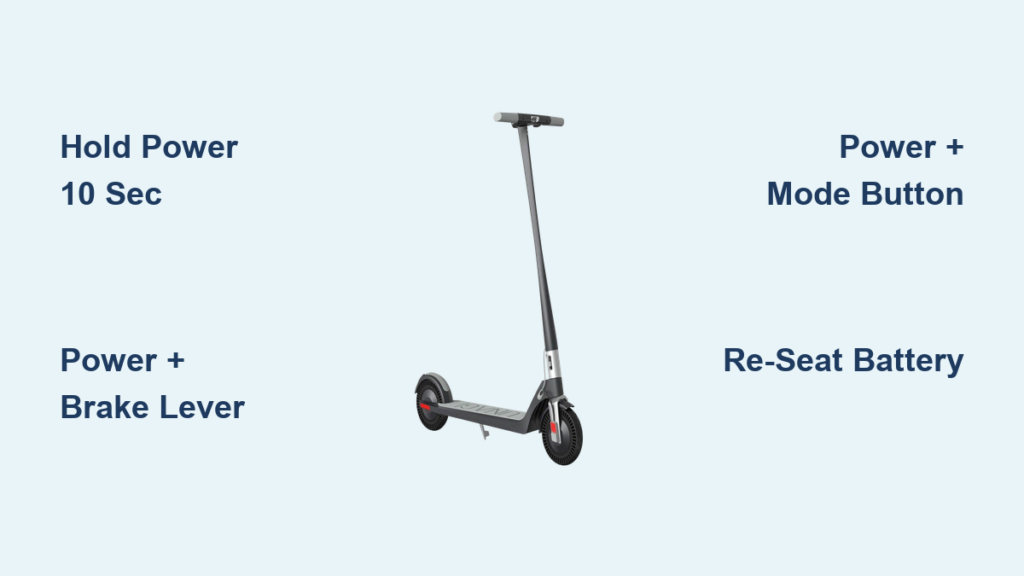
Your Unagi scooter suddenly powers off mid-ride. The display freezes. A red lock icon flashes with a beeping sound. You press the power button, nothing happens. You are not alone. Thousands of Unagi Model One E500 and E350 riders face similar issues caused by software glitches, loose battery connections, or security locks. The good news is there is no need for a technician in most cases. With the right reset method, you can restore full function in under five minutes. This guide reveals the exact steps to reset your Unagi scooter, unlock a red lock, and prevent future crashes.
Soft Reset Your Unagi Scooter

A soft reset is your first line of defense. It clears temporary software hiccups without erasing your ride settings or Bluetooth pairings. Use this when the display freezes, controls lag, or the app fails to connect.
Hold Power Button for 10 Seconds
This simple procedure reboots the onboard system like restarting a smartphone.
- Press and hold the Power Button.
- Keep holding for 10 full seconds. Do not release early.
- The scooter will power off completely.
- Wait 5 seconds, then press the power button again to restart.
If the scooter does not restart automatically, manually turn it on after the pause. Perform this reset both when powered on and off if the first attempt fails.
Try Power Plus Dual Motor Button
For deeper software freezes or unresponsive dual motor mode, try this combination.
- Press and hold the Power Button and Dual Motor Button together.
- Hold for 10 to 15 seconds.
- Release and power the scooter back on.
This combination forces a system level reboot, often resolving stubborn app sync issues or mode switching failures. Do not confuse this with a factory reset. It does not erase data but may temporarily disconnect Bluetooth.
Hard Reset to Clear System Errors

When a soft reset fails, a hard reset clears deeper software conflicts. This may restore factory settings including speed limits and language preferences. Be prepared to re-pair your phone via the Unagi app afterward.
Press Power Plus Brake Lever
Use this method for frozen dashboards or unresponsive brakes and throttle.
- Ensure the scooter is powered on.
- Simultaneously press and hold the Power Button and the Brake Lever.
- Hold for 5 seconds.
- Release when the display flickers or resets.
The screen should blink and reboot. Test throttle and brake response after startup. This is the most commonly successful fix for control lag and sudden shutdowns.
Use Power Plus Mode Button for Full Reset
For persistent red lock icons or boot loops, try this comprehensive reset.
- Turn the scooter off completely.
- Press and hold the Power Button and Mode Button together.
- Hold for 15 seconds.
- Watch for rapid LED flashes. This confirms the reset is active.
- Release and power on normally.
After using this method, you may need to reconnect Bluetooth in the Unagi app, re-select your speed mode, and re-enable lights or other preferences.
Battery Reset Fixes Power Failures

Loose or dirty battery connections are a leading cause of sudden shutdowns and black screens. A battery reset resolves unstable power delivery and dashboard failures.
Disconnect and Re-seat the Battery
- Turn the scooter off.
- Remove the battery from the deck compartment.
- Wait 5 to 10 seconds to discharge residual power.
- Inspect both battery terminals and scooter port for dirt or corrosion.
- Clean contacts gently with a dry microfiber cloth or cotton swab.
- Reinsert the battery firmly until you hear a distinct click.
- Power on and test.
If the battery does not click, it is not fully seated. This causes intermittent power loss. Clean battery contacts if the scooter powers on randomly, the display flickers during rides, or charging stops prematurely. Avoid liquids or metal tools. Use only dry, non-abrasive materials.
Remove Red Lock Icon on Unagi Scooter
A red lock icon with beeping means the electronic lock is engaged. This happens when the scooter is linked to a previous account, common with secondhand units.
Unlock via Unagi App
- Download the Unagi app from the iOS App Store or Google Play Store.
- Create an account or log in.
- Enable Bluetooth and stand near the scooter.
- Open the app and tap Add Device or Connect.
- If previously paired, the app may prompt to transfer ownership or unlock.
If the scooter connects, the red lock disappears automatically. If the scooter is tied to an inaccessible account, the app cannot unlock it without support.
Contact Support for Locked Scooters
If you inherited or bought a used Unagi and cannot access the original account, gather the following information before reaching out.
• Serial number (found on frame)
• Model number (E500 or E350)
• Proof of ownership (receipt or photo)
• Brief explanation of how you acquired the scooter
Email Unagi support with this information and request a remote unlock or account dissociation. Support typically responds within 48 hours. Do not attempt to bypass the lock physically. It voids the warranty.
Update Unagi Scooter Firmware After Reset
After any reset, outdated firmware can cause the same issues to return. Always check for updates.
Check for App Updates
- Open the Unagi app.
- Go to Settings > Device > Check for Updates.
- If an update is available, install it immediately.
- Keep the scooter powered on and within Bluetooth range during the update.
Update after a hard reset to ensure a clean software environment.
Re-pair Bluetooth Connection
Post-reset, your phone may disconnect from the scooter.
- Turn on the scooter.
- Open the Unagi app.
- Tap Connect or Pair Device.
- Confirm pairing on both devices.
This restores app features like ride tracking, lock/unlock, and firmware alerts.
Calibrate Unagi Battery for Accurate Display

If the battery percentage flickers or drops suddenly, calibration fixes sensor drift.
Full Charge-Discharge Cycle
- Charge the scooter to 100% using the official charger.
- Ride until it shuts off from low battery.
- Recharge fully again. Do not interrupt.
- Repeat once.
After calibration, the battery meter reflects true charge levels. Never leave the scooter unattended during full discharge.
Prevent Unagi Scooter Problems
Most Unagi problems are preventable with simple habits.
Avoid Cold Weather Shutdowns
In temperatures below 50°F, store and charge the scooter indoors. Let it warm up for 15 to 20 minutes before riding. Avoid full-throttle starts in cold conditions. Cold reduces battery efficiency and can trigger shutdowns.
Prevent Overheating
During long rides or uphill climbs, take breaks every 15 to 20 minutes. Let the scooter cool for 10 to 15 minutes if it shuts down. Ensure vents are unobstructed. Overheating triggers automatic shutdowns to protect the motor.
Regular Maintenance Checks
Monthly, inspect the following components.
• Battery contacts. Clean if dull or dirty.
• Power button. Ensure it clicks smoothly.
• Wiring. Check for fraying if accessible.
• Brakes and tires. Confirm mechanical function.
A quick visual check prevents 80% of electronic issues.
Contact Unagi Support for Persistent Issues
If your Unagi remains unresponsive after all resets, contact support with the following information.
• Serial and model number
• Video of the issue
• List of steps you have already tried
Contact support if the screen stays black, there is no power after battery re-seat, the red lock persists without unlock options, or the motor makes grinding noises. They may offer repair, replacement, or advanced diagnostics. Never disassemble the scooter yourself. Internal tampering voids the warranty and risks permanent damage.
Frequently Asked Questions About Resetting Unagi Scooters
How do I reset my Unagi scooter when the screen is frozen?
Press and hold the Power Button for 10 seconds. Wait 5 seconds, then press the power button again to restart. This soft reset clears temporary software freezes. If this fails, try holding the Power Button and Dual Motor Button together for 10 to 15 seconds.
Why does my Unagi scooter show a red lock icon?
The red lock icon means the electronic lock is engaged. The scooter is linked to a previous account. Download the Unagi app, create an account, and attempt to connect via Bluetooth. If the previous owner is unavailable, contact Unagi support with your proof of ownership.
What is the difference between a soft reset and hard reset?
A soft reset holds the power button for 10 seconds to clear minor glitches. It does not erase settings. A hard reset uses button combinations like Power plus Brake Lever or Power plus Mode Button. It clears deeper system errors and may restore factory settings.
Why does my Unagi scooter power off randomly while riding?
Random shutdowns usually stem from loose battery connections. Turn off the scooter, remove the battery, wait 10 seconds, clean the contacts with a dry cloth, and reinsert firmly. Also check for firmware updates, as glitches can cause this issue.
How do I fix battery percentage misreadings?
Calibrate the battery by charging to 100%, riding until it shuts off from low battery, then charging to 100% again without interruption. Repeat this cycle once. This recalibrates the battery meter.
Can I reset my Unagi scooter without the app?
Yes. All reset procedures use button combinations or battery removal. The app is only required for red lock icons, firmware updates, and re-pairing Bluetooth after a hard reset.
Key Takeaways for Resetting Your Unagi Scooter
The Unagi scooter has no physical reset button. All resets use button combinations or battery removal. Soft resets fix minor glitches like frozen screens and unresponsive controls. Hard resets clear persistent software errors and may require re-pairing your phone. Battery resets solve power instability caused by loose connections. App-based unlocking resolves red lock issues on secondhand units. By following these steps, you can resolve 95% of common problems without professional help. Keep this guide handy, update firmware regularly, and always use the official charger to keep your Unagi running smoothly.



