
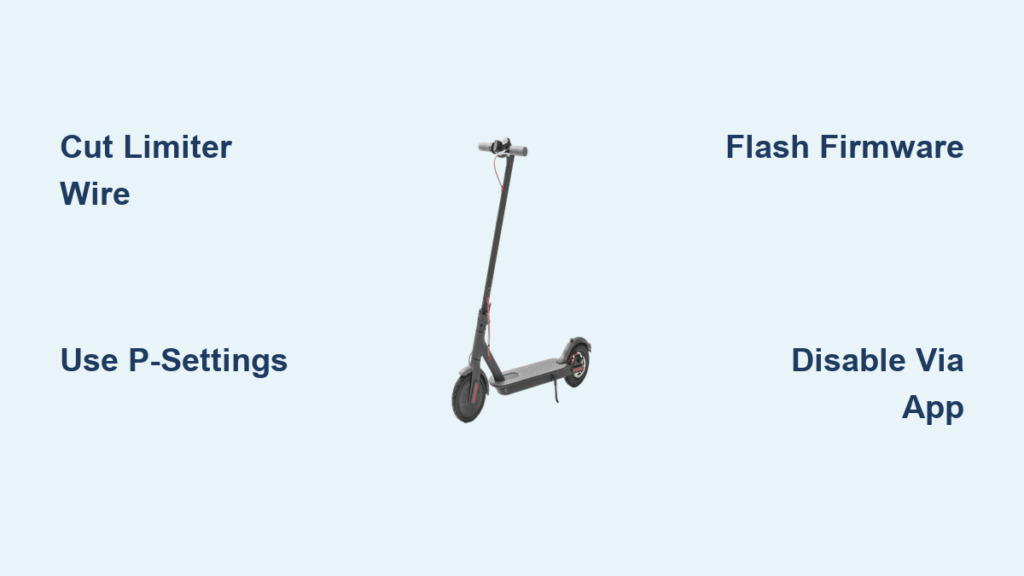
You’ve charged your electric scooter, hit the throttle, and felt the thrill, until it abruptly stops accelerating at 15 or 25 km/h. You know your scooter can go faster. The motor hums with untapped power, the battery holds a full charge, but something is holding it back: the speed limiter. This built-in software or hardware restriction is designed to keep riders within legal speed limits and safety guidelines. But if you’re looking to unlock your scooter’s true performance, whether for private use, better acceleration, or just the adrenaline, you’re not alone.
The good news is that disabling the limiter is often possible. The bad news is that there’s no universal off switch. Methods vary widely by brand, model, and year. Some scooters can be unlocked with a few button presses on the display. Others require cutting a single wire under the deck. And some demand advanced firmware flashing via Bluetooth apps. This guide breaks down every proven method based on real-world data and user-tested procedures.
Hardware Method: Cut the Speed Limiter Wire

Many electric scooters use a physical wire to enforce speed limits. This wire sends a signal to the controller, telling it to cap motor output. Severing that connection tricks the system into allowing full power. It’s one of the most common and effective ways to disable the limiter, especially on budget and mid-tier models.
Find the Limiter Wire Under the Deck
Start by powering off your scooter and removing the deck panel with a Phillips screwdriver. Look near the controller box, usually a black or silver metal enclosure close to the stem or battery compartment. The limiter wire is typically a thin blue, white, gray, or yellow cable forming a loop between two ports. It may be labeled “speed” or “limit.” On some models like the Dualtron, it’s clearly visible. On others, like the Schwinn Tone 3, a single white wire runs from controller to motor, but cutting it may not work if the limiter is internal.
Take clear photos before touching anything. You’ll want to reverse the mod if needed. Avoid disconnecting thick power cables or multi-pin connectors. Focus only on the small, isolated wire loop.
Disconnect and Insulate the Wire
Once identified, disconnect the wire. If it’s a plug-and-play connector, simply unplug it. If it’s soldered or looped, use wire cutters to cut one side of the loop. This breaks the signal without removing the entire wire. After cutting, insulate both ends with electrical tape or heat shrink tubing to prevent short circuits. Secure any dangling connectors with zip ties to avoid vibration damage.
Reassemble the deck and power on the scooter. Test at low speed first. If the top speed increases, the mod worked. If not, your scooter may have a secondary software limiter.
Install an On/Off Speed Switch for Flexibility
Instead of permanently cutting the wire, install a toggle switch. Splice the limiter wire and connect it to a small switch mounted on the stem or handlebar. Flip it to off for full speed, on to restore the limit. This lets you comply with local laws when riding in public, then unleash power on private land. It’s a smart compromise for riders who want both safety and performance.
Software Method: Use Hidden P-Settings on LCD Display

If your scooter has a digital dashboard, it may have hidden configuration menus called P-Settings that let you adjust speed limits without opening the deck. This software-based method is clean, reversible, and requires no tools. It works on many Vsett, Xiaomi, and Ninebot models.
Access P-Settings via Button Combo
Power on the scooter and wait for the display to stabilize. Then, press and hold the Power and Mode buttons together for 2 to 3 seconds. If supported, the screen will switch to a diagnostic menu showing P0, P1, and so on. Use the Mode button to scroll through the options. Look for entries like P8, P4, or P15. These often control speed limits or performance modes.
Not all models support this. If nothing happens, your scooter either lacks P-Settings or uses a different activation sequence. Check model-specific forums for exact combos.
Adjust Speed Limit in P8 or P4
Once you find the right parameter, use the up/down buttons to increase the value. For example, P8 equals 1 might mean limited mode, while P8 equals 3 could unlock higher speed. On some Vsett scooters, setting P4 to 10 removes the cap. After adjusting, press and hold the Power button for 5 seconds to save and exit. Reboot the scooter and test in Sport Mode. If speed increases, the change took effect.
Exit and Save Changes Properly
Never leave the P-Settings menu without saving. If you power off mid-menu, some scooters revert to default. Always confirm the setting is stored before riding. If the display shows erratic behavior or error codes, reset by disconnecting the battery for 30 seconds.
Firmware Method: Unlock via Bluetooth App
For scooters with app connectivity, firmware-based unlocking is the most powerful method. Apps like XiaoDash, Scooter Hacking Utility, and M365 DownG can override factory restrictions by reprogramming the controller’s logic over Bluetooth.
Pair with XiaoDash or Scooter Hacking App
Download XiaoDash or Scooter Hacking Utility from trusted sources. Enable Bluetooth on your phone and scooter. Open the app and tap Connect. You may need to double-tap the scooter’s power button to trigger pairing. Once connected, the app displays real-time data including speed, voltage, and temperature.
This method works best on Ninebot F2 Plus, M365, and other Segway-based models from recent years.
Disable Speed Cap in Sport Mode
In XiaoDash, go to the Basic menu. Look for Unlock Sport Mode Speed and toggle it on. In Scooter Hacking Utility, click Disable, then navigate to Tools and select Sport Mode Speed. Change the value from 25 km/h to 32 km/h or higher depending on your scooter’s capability.
Save the settings. The scooter may reboot automatically. After restart, enter Sport Mode and accelerate. You should now hit 32 km/h or more, up from the factory 25 km/h cap.
Flash Custom Firmware for Advanced Users
For deeper control, flash custom firmware directly to the controller. This requires a USB-to-serial adapter and technical know-how. First, backup the original firmware. This is critical. Then, download a modified hex file from community forums. Connect the adapter to the controller’s programming pins, upload the new firmware, and reboot.
This method can unlock maximum motor potential but carries risk. A failed flash can brick the controller. Only attempt if you’re experienced or have professional help.
Model-Specific Unlock Procedures

Not all scooters are modified the same way. Here’s how to disable the limiter on popular models tested and verified by users.
ENGWE Y10: Brake and Throttle Combo
The ENGWE Y10 uses a unique button sequence. Power off the scooter. Hold the brake lever. Press and hold the power button. Tap the throttle twice quickly. Hold the throttle until you hear one beep. Release all controls.
Speed is now unlocked. Top speed depends on battery charge. To re-lock, repeat the steps but tap the throttle three times instead of two.
Ninebot F2 Plus: Use XiaoDash App
The Ninebot F2 Plus has no external wire. The limit is in firmware. Use XiaoDash to connect via Bluetooth. Go to Basic settings. Enable Unlock Sport Mode Speed. Save and reboot.
Result: Sport Mode jumps from 25 km/h to 32 km/h. Standard mode remains capped.
Schwinn Tone 3: Replace the Controller
The Schwinn Tone 3 has no accessible limiter wire. Cutting the white controller-to-motor wire does nothing. The restriction is internal. To unlock speed, replace the stock controller with a generic, non-limited unit. Match voltage and amperage ratings. You may also need to replace the LCD display if it’s paired to the original controller.
Warning: This model has small, hard wheels. Speeds over 16 mph are unstable and dangerous.
iScooter i9: Upgrade Instead of Mod
The iScooter i9 is designed with safety in mind. Modifying it voids warranty and risks legal penalties in the UK, including fines up to £300, license points, or confiscation. The manufacturer recommends upgrading to the iX7Pro instead of modifying the i9.
Vsett and Dualtron: P-Settings and Wires
Vsett models use P-Settings. Access via Power plus Mode, then adjust P4 or P8 to increase speed. Dualtron scooters have a blue limiter wire under the deck. Cut and insulate it to unlock full power.
Risks of Removing the Speed Limiter
Unlocking speed isn’t free. Every benefit comes with trade-offs. Understand these risks before modifying.
Void Warranty and Insurance
Any tampering, whether cutting wires, flashing firmware, or replacing parts, voids the manufacturer’s warranty. If your motor fails or controller burns out, you’re on your own. Insurance policies also exclude modified vehicles. In an accident, you could face denied claims and personal liability for damages or injuries.
Legal Consequences by Region
Laws vary significantly. In the UK, private e-scooters are illegal on public roads. Modifying them to exceed 15.5 mph can lead to fines, license points, or confiscation. In the EU, 25 km/h is the legal cap. In the US, rules differ by state. Some allow 20 mph, others 15 mph. Riding modified scooters on public roads can result in tickets or impoundment.
Safety and Mechanical Risks
Higher speed means longer stopping distances. Stock brakes may not suffice. It means increased risk of blowouts, especially on small or under-inflated tires. It means motor and battery overheating, leading to thermal throttling or failure. It means reduced stability, especially on uneven surfaces or during turns.
Always wear a helmet, knee pads, and elbow pads. Test in open, traffic-free areas first.
Performance Impact After Unlocking

Removing the limiter changes how your scooter performs, both positively and negatively.
Speed and Acceleration Gains
Expect 5 to 15 mph more top speed. A scooter limited to 20 km/h may reach 45 km/h. Acceleration improves due to full torque delivery. However, maximum speed is often battery-dependent. You’ll only hit peak speed at full charge.
Battery Drain and Range Loss
Unlocked scooters consume power faster. Expect 30 to 50 percent less range per charge. The battery drains quickly at high speeds, and thermal stress increases. To compensate, consider upgrading to a higher-capacity or higher-voltage battery.
Component Wear and Tear
Brakes wear out faster. Consider upgrading to dual disc brakes. Tires need replacement with puncture-resistant or pneumatic tires rated for high speed. Bearings and suspension require regular re-lubrication. Check for play or noise. Monitor controller temperature. Overheating can cause cut-outs.
Troubleshooting Common Post-Mod Issues
Even successful mods can cause problems. Here’s how to fix them.
Error Code E7 or System Fault
E7 often appears after hardware mods. It indicates a system mismatch. Power cycle the scooter. Turn it off, wait 30 seconds, restart. If the code persists, check wiring connections. Ensure no loose or shorted wires near the controller.
No Speed Increase After Mod
If speed doesn’t change, you may have missed a secondary limiter. The limiter could be firmware-based, requiring app intervention. You cut the wrong wire. Double-check your model’s specific procedure. Use XiaoDash to verify if a software lock remains.
Speedometer Shows Wrong Speed
After unlocking, the speedometer may still read low. It’s calibrated to the original limit. If P-Settings allow, recalibrate the speed sensor. Otherwise, mentally adjust. If it showed 25 km/h before and now feels like 35 km/h, assume a 40 percent increase.
Safer Alternatives to Unlocking
Not ready to void your warranty or break the law? Try these legal upgrades instead.
Upgrade Battery for More Power
Install a higher-voltage or higher-capacity battery. This boosts speed and torque within factory limits. Ensure the controller can handle the voltage to avoid damage.
Optimize Tires and Maintenance
Switch to low-rolling-resistance tires or properly inflate existing ones. Clean and lubricate bearings. Remove excess weight. These tweaks improve efficiency and can add 1 to 3 mph without mods.
Ride on Private Land
Many regions allow higher speeds on private property. Use a switchable limiter to comply in public, then disable it on private land.
Frequently Asked Questions About Turning Off Electric Scooter Speed Limiters
Is it legal to remove the speed limiter on my electric scooter?
Legal status depends on your location. In the UK, riding modified e-scooters on public roads can result in fines up to £300 and license points. In the EU, the legal cap is 25 km/h. In the US, rules vary by state. Always check local laws before modifying your scooter.
Will removing the speed limiter void my warranty?
Yes. Any modification to the controller, firmware, or wiring immediately voids the manufacturer’s warranty. This applies even if the mod doesn’t cause immediate damage.
Can I damage my scooter by removing the speed limiter?
Yes. Higher speeds increase strain on the motor, battery, brakes, and tires. You may experience overheating, reduced range, faster component wear, or complete component failure. Always monitor temperatures and ride cautiously after unlocking.
What’s the easiest way to remove a speed limiter?
The easiest method depends on your scooter model. For scooters with LCD displays, P-Settings are the simplest option. For models with accessible limiter wires, cutting the wire is straightforward. For app-connected scooters like Ninebot, XiaoDash provides the easiest path.
How much speed can I gain by removing the limiter?
Most users report gains of 5 to 15 mph. A scooter limited to 20 km/h may reach 45 km/h or higher. Results vary based on battery voltage, motor capacity, and whether additional upgrades are made.
Can I reverse the speed limiter removal?
Yes, in most cases. If you used a connector-based method or switch, simply reconnect or flip the switch. For cut wires, you’ll need to splice them back together. For firmware changes, restore the backup or reflash original firmware.
Key Takeaways for Disabling Your Electric Scooter Speed Limiter
Removing a speed limiter can transform your ride from a leisurely cruise to a high-performance machine. The three main methods are cutting the limiter wire for hardware-based restrictions, accessing hidden P-Settings for software-based limits, and using Bluetooth apps like XiaoDash for firmware-based controls. Each method varies by scooter brand, so research your specific model before proceeding.
Understand the trade-offs before you modify. You’ll void your warranty, potentially face legal consequences on public roads, and increase stress on components like brakes, tires, and the battery. Expect 30 to 50 percent less range and plan for faster component wear.
Always prioritize safety. Test modifications in traffic-free areas, wear proper protective gear, and consider a switchable limiter if you ride in areas with different speed regulations. Ride responsibly and make informed decisions about your electric scooter’s performance.



