
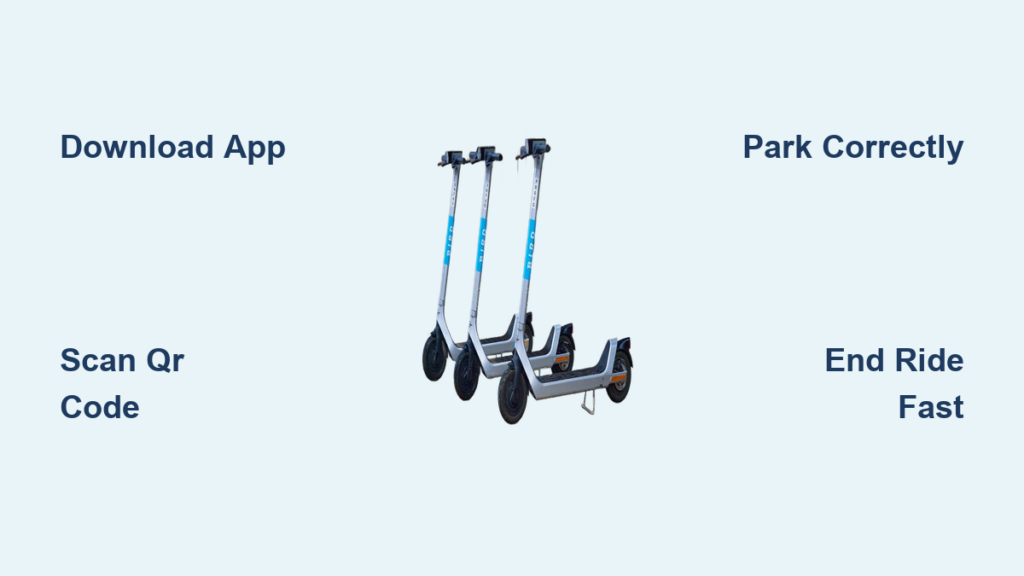
Riding a Bird scooter is a fast, eco-friendly way to zip through cities, but only if you know how to use it correctly. Whether you are commuting to work, running errands, or exploring on the weekend, knowing how to unlock, ride, and park a Bird scooter safely and legally can save you time, money, and frustration. With just a smartphone and the Bird app, you can access electric scooters in over 25 cities across the United States and Canada.
This guide walks you through every step, from setting up your account to ending your ride properly. You will learn how to download the app, locate a scooter, unlock it with a QR code, understand the controls, follow local riding laws, and park correctly to avoid penalties. By the end, you will know exactly how to use a Bird scooter like a pro.
Download and Set Up the Bird App
Before you can ride, you need the Bird app installed and your account ready. The app is your gateway to finding, unlocking, and paying for scooters, so proper setup is essential.
Install the App on Your Phone
Go to the Apple App Store for iOS devices or the Google Play Store for Android devices and search for “Bird.” The app requires iOS 15.0 or later for iPhones and works with most Android phones and tablets. The app is around 232.6 MB, so make sure you have enough storage space before downloading.
Once downloaded, open the app and create an account using your email address. You will receive a confirmation email, so check your inbox and verify within a few minutes to activate your profile.
Add Payment and Verify Identity
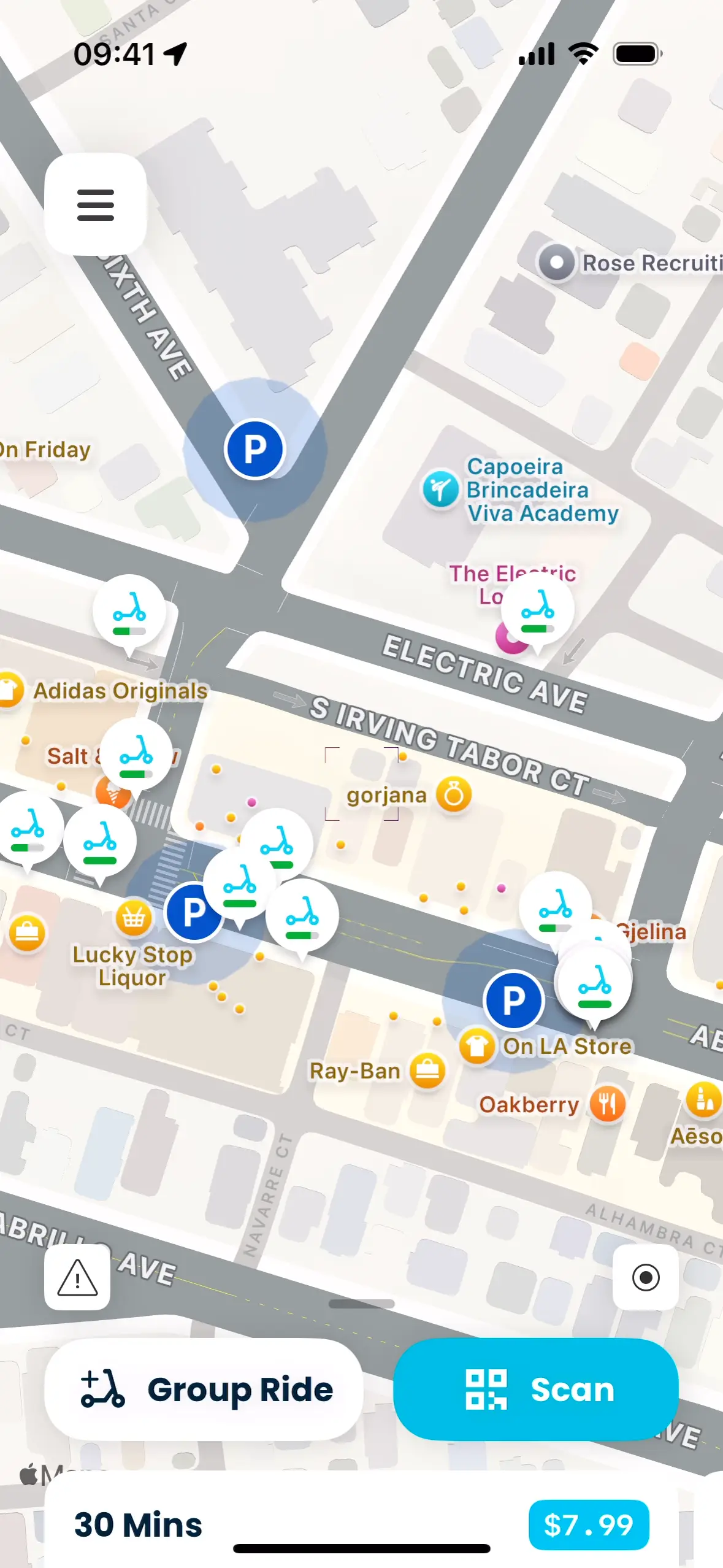
Tap the three-line menu in the top-left corner and go to Payment to add a credit card, PayPal, or Apple Pay. You must have a payment method on file before your first ride. Some users report glitches when adding or removing cards, so complete this step early to avoid problems later.
In certain areas, especially when using Bird through partners like Freenow, you may need to upload a drivers license for verification. This process takes less than a minute and is done directly within the app.
Access Special Features
Once your account is set up, explore the built-in tools available in the app. Ride Passes can save you money with daily, weekly, or monthly plans. The referral program lets you share your code for free rides. Group Rides allow you to unlock multiple scooters from one phone, which is ideal for friends riding together. In Canada, you can reserve a scooter up to 30 minutes in advance.
Note that group ride mode can be slow, and some users report camera focus issues or app freezes when scanning multiple QR codes. Move quickly to avoid unintended charges.
Find and Unlock a Bird Scooter
Now that your app is ready, it is time to find and unlock a nearby scooter. The process is straightforward, but a few key steps can prevent mistakes and ensure a smooth start.
Locate Scooters on the Map
Open the app to see a live map of available scooters in your area. Each scooter appears as a pin, and you can tap on it to view the battery level, model type, and distance from your location. Always check the battery level before walking over, as low charge means a short ride.
Watch for zone indicators displayed on the map. Yellow zones indicate speed-limited areas where the scooter automatically slows. Red zones are no-parking zones where you cannot end your ride. Blue zones are mandatory parking spots where rides must be ended.
GPS is not perfect, so scooters may appear closer than they actually are. Use the apps walking directions to navigate to the correct location.
Scan QR Code to Unlock
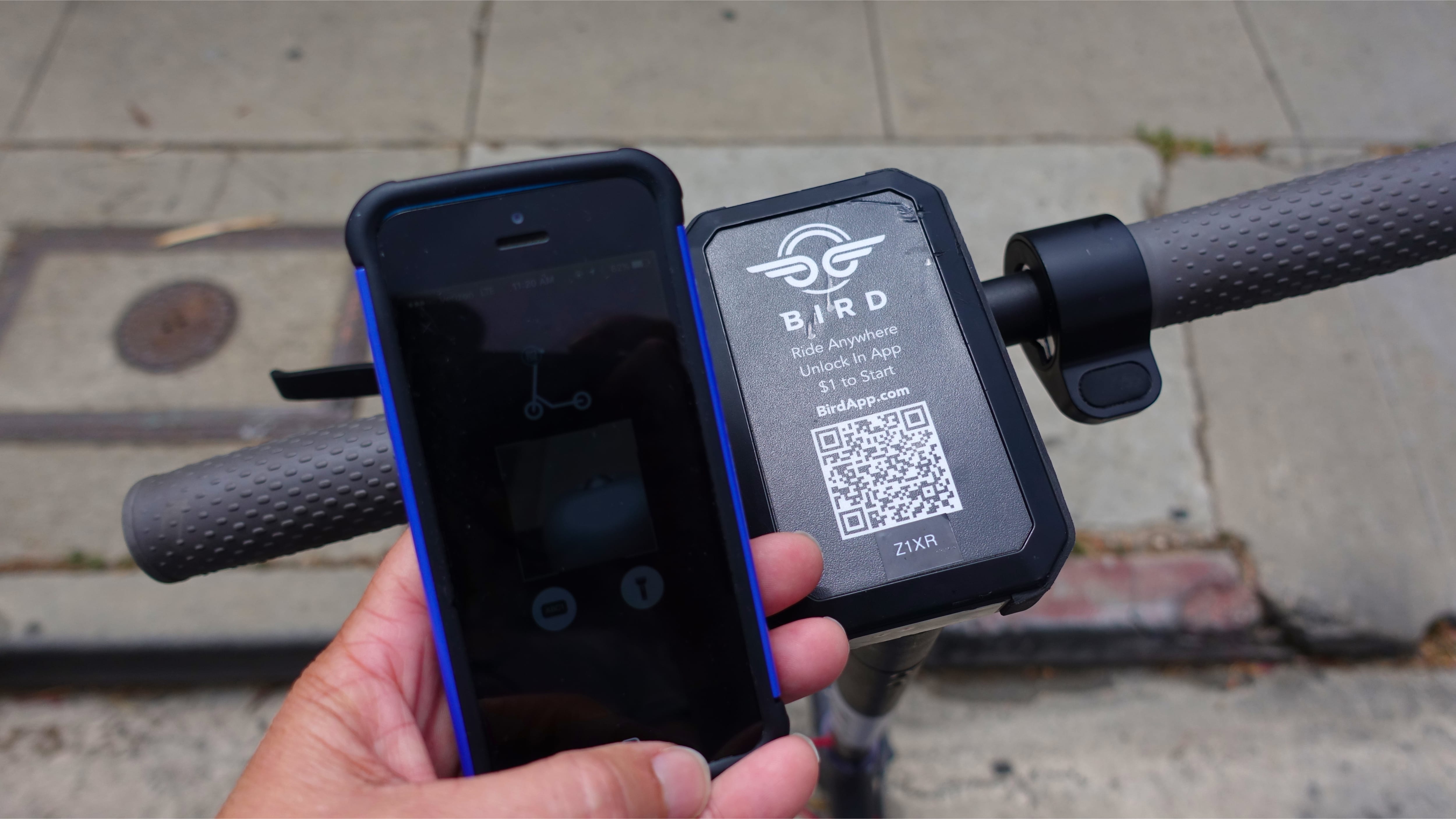
Approach the scooter and confirm it is the right one by checking the number on the handlebar. In the app, tap Scan QR Code and point your camera at the code on the front mast. If the camera fails to scan, you can manually enter the scooter number instead.
Select your payment method and hold the screen to confirm. When successful, the app shows “In Ride” and the scooter emits a beeping sound. Some users face 10 to 20 second delays even with strong signal, and the timer starts at unlock, so delays can add to your cost. If the app freezes, close and reopen it.
Understand Scooter Controls and Operation
Knowing how to operate the scooter safely is crucial for both your protection and the longevity of the vehicle. Bird models have consistent controls, but small differences exist between versions.
Learn the Handlebar Controls
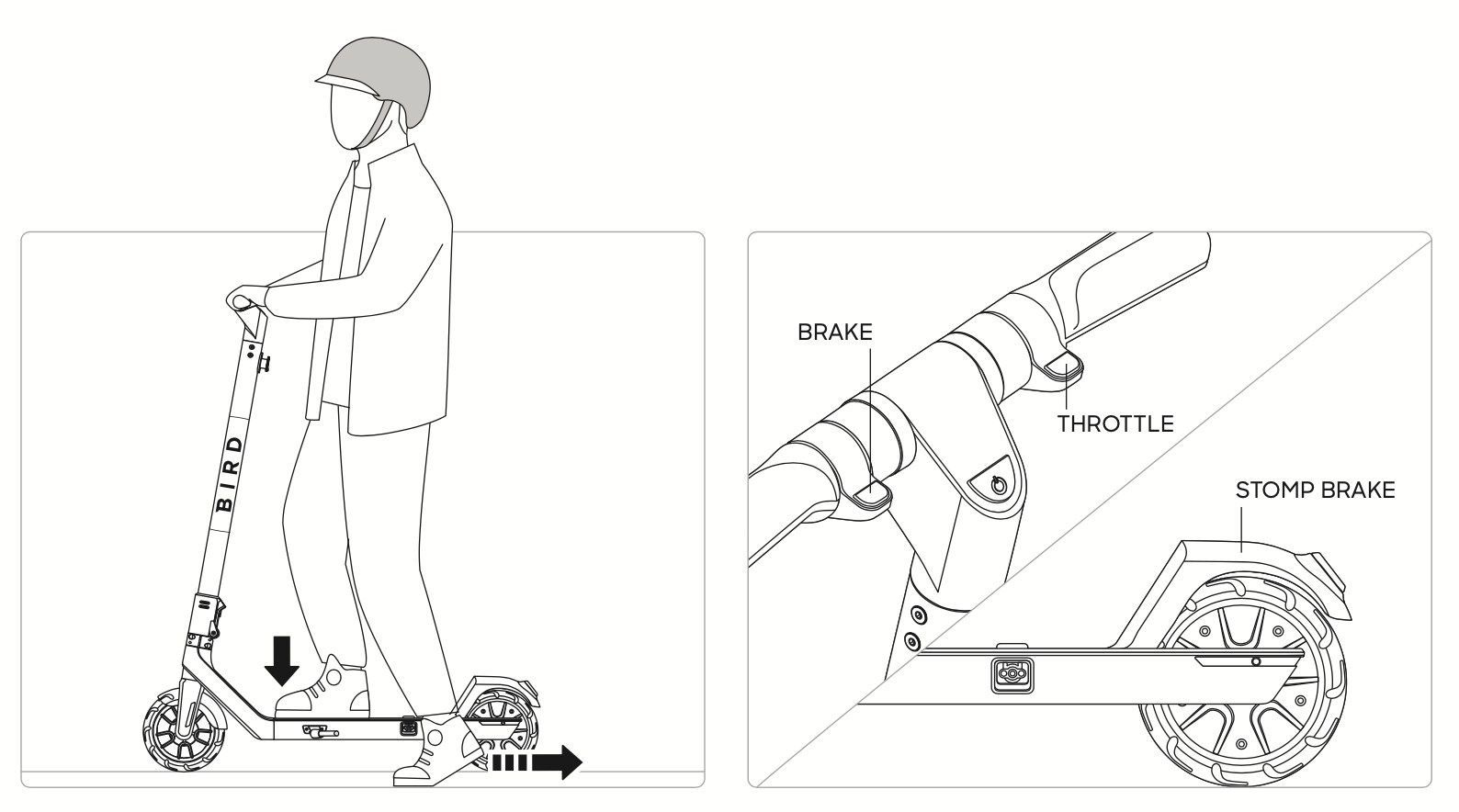
The throttle is located on the right handlebar. Push it down gently to accelerate. For brakes, the left lever typically controls the front brake, while the right lever operates the rear disc brake on most models. Use both brakes smoothly and avoid sudden stops to prevent accidents.
The deck is the standing platform where you place your feet. Cables run underneath, connecting the brakes, throttle, and electronics. The kickstand is on the left side and is used for parking the scooter when not in use.
Start and Ride Safely
Kick up the stand and place one foot on the deck. Push off with your other foot to gain momentum, then place both feet on the deck. Once moving, gently press the throttle to accelerate. In yellow zones, the scooter automatically slows to comply with local speed limits. Never ride on highways or in restricted app zones.
Follow Riding Rules and Safety Tips
Riding a Bird scooter is about convenience, but it also requires responsibility. Following traffic laws and safety practices protects you and others sharing the road.
Obey Traffic and Lane Laws
Use bike lanes whenever they are available. Sidewalk riding is allowed in some cities like Oak Park only if no bike lane exists, but you must yield to pedestrians and travel at a slow speed. Avoid sidewalks in crowded areas, as many cities discourage or ban sidewalk riding entirely. Never ride on highways, motorways, or in red zones marked on the app.
Wear a Helmet and Stay Alert
While not always legally required, always wear a helmet for your protection. Some partner programs like Freenow make helmets mandatory. Stay sober, as drinking and scooting is prohibited. Keep both hands on the handlebars, watch for crosswalks, and stay aware of cars and pedestrians. Do not use headphones while riding.
Avoid Bad Weather and Terrain
Most Bird scooters are not waterproof. Avoid riding in heavy rain or wet conditions, as slippery surfaces and water damage increase risks significantly. Stick to paved urban roads, as rough terrain can damage the scooter or cause falls.
Know the Pricing and Ride Passes

Birds pay-per-minute model is simple, but costs add up quickly. Understanding pricing helps you budget and take advantage of savings opportunities.
Standard Ride Costs
The unlock fee is approximately $1.00 and is charged immediately when you start a ride. The per-minute rate is approximately $0.15. For example, a 10-minute ride would cost $1.00 plus $1.50, totaling $2.50. Charges accumulate by the minute, and even if you pause the ride, the clock keeps ticking unless you end the ride completely.
Use Ride Passes to Save
Frequent riders can benefit from subscription passes available in daily, 3-day, weekly, and monthly options. These passes lower per-minute rates or waive unlock fees entirely. Passes are found in the app under the Rides or Passes section, and pricing varies by city.
Watch Out for Group Ride Charges
When using Group Rides, the main account pays for all scooters. If the app lags while adding vehicles, the timer may start before everyone is ready, leading to unintended charges. Move quickly through the process or split payments manually to avoid this issue.
Park Correctly and End Your Ride
Ending your ride properly avoids fines and keeps the city tidy. Many users receive penalties for incorrect parking, so follow these steps carefully to stay compliant.
Choose a Legal Parking Spot
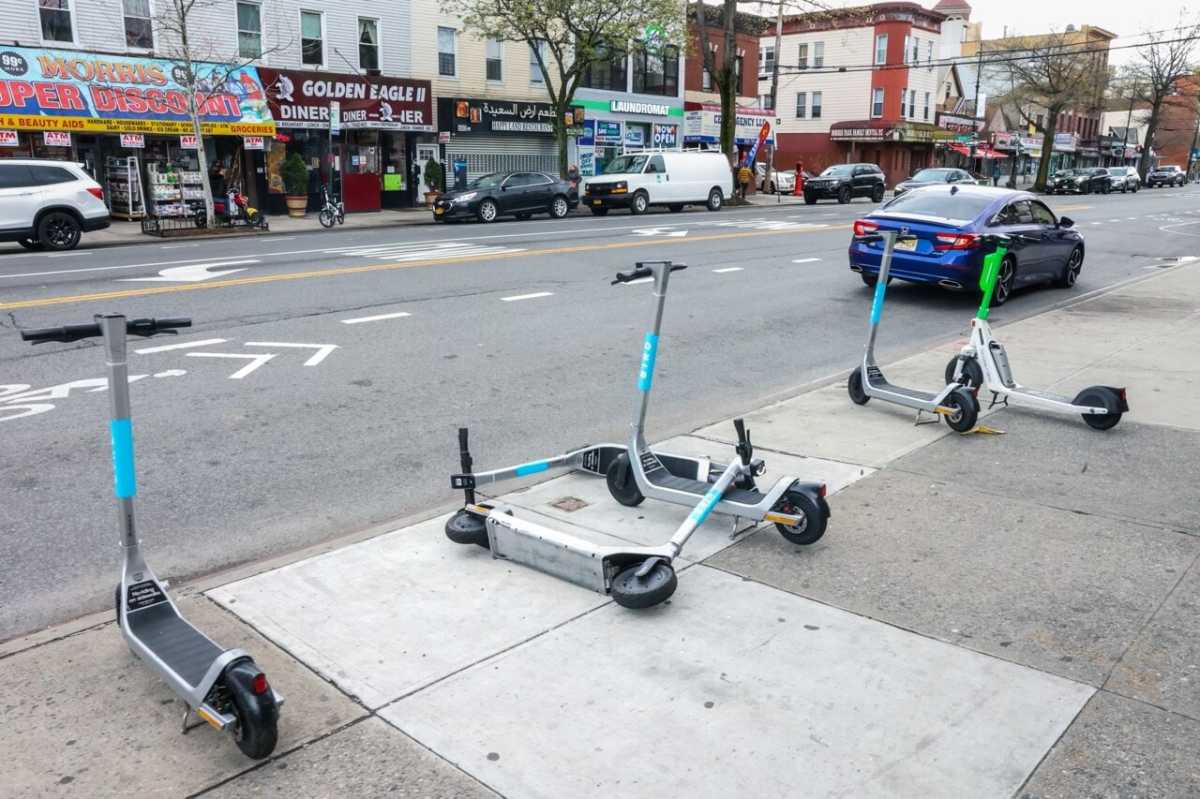
Park in blue zones in cities where they are mandatory. Choose clear areas that do not block sidewalks, doorways, driveways, fire hydrants, or bike lanes. Never leave a scooter on a sidewalk where it obstructs foot traffic or in a red zone, since you cannot end rides there anyway.
Ensure the scooter is upright and stable with the kickstand down. The scooter should not pose any hazard to pedestrians or other travelers.
Submit a Parking Photo
In the app, tap End Ride immediately after parking. Then take a clear front-facing photo of the scooter. The app uses this photo to verify proper parking. The photo must show that the scooter is not blocking a path, is in a legal zone, and the surroundings are clear.
Once submitted, you will hear a final chime and receive a receipt via email.
Use Park Mode for Short Stops
Need to run into a store quickly? Tap Park in the app. The scooter enters a low-rate mode, but the timer continues running. For stops longer than 5 minutes, it is cheaper to end the ride and restart when you return. Leaving a scooter in Park mode too long wastes money, so do not use it as a free lock.
Check Operating Hours by Location
Bird scooters are not available 24/7 everywhere. Hours vary by city and province, so check before you ride.
United States and Oak Park Hours
In most United States cities, scooters are available from early morning to late evening, but exact times depend on local regulations. Oak Park emphasizes pedestrian safety and bike lane use. Support is available 24/7 in-app, with local emails like oakpark@bird.co for city-specific issues.
Canadian Operating Times
In Canada, service hours differ by location. Ottawa, Ontario operates from 6:00 AM to 11:00 PM daily. Several cities operate 24 hours, including Mississauga, Hamilton, Brampton, Windsor, Calgary, Edmonton, Red Deer, Lethbridge, Surrey, Regina, Saskatoon, and Laval. Always check the app for real-time availability in your specific city.
Fix Common Issues and Get Support
Even with a smooth setup, problems can happen. Knowing how to troubleshoot saves time and money.
Solve App and Connection Problems
Common issues include slow QR scanning, so try manual entry instead. Connectivity delays can cause the app to take 10 to 20 seconds to connect, which can lead to charges. Payment errors prevent some users from adding or removing cards. App freezing occurs especially during group rides or photo uploads. Close and reopen the app, restart your phone, or reinstall if needed.
Report Damaged or Misplaced Scooters
Use Community Mode, located in the bottom-left of the app, to report broken or damaged scooters or improperly parked vehicles. The app auto-tags the location via GPS. Reporting helps maintain fleet quality and safety for all users.
Contact Bird Support
For unresolved issues, use the in-app Help Center, which is best for FAQs and reporting. You can also email hello@bird.co or support@bird.co. Local emails like oakpark@bird.co exist for specific municipalities. The phone number +1 954-228-0656 is available for corporate contact. Support claims 24/7 availability, but users report that AI bots do not always solve complex problems effectively.
Protect Your Data and Privacy
The Bird app collects data to function, but it is important to know what is tracked and how it is used.
Understand Data Collection
Bird, through Blue Jay Transit Inc., collects several types of data. Location data includes real-time and coarse data, even when the app is idle, which can drain your battery. Personal information includes your name, email, and payment details. The app also collects device ID and user ID, usage data like ride history and crash information, and photos and messages from parking verification and support chats. This data may be shared with third parties for operations, advertising, or legal compliance.
Manage Privacy Settings
You can request data deletion through support. Disable location access when not riding to save battery, but this limits functionality for finding scooters. Review the full Privacy Policy in the app for complete details. Be aware that location tracking continues in the background to enable scooter finding and geofencing features.
Ride Responsibly and Maintain the Scooter
While you are not responsible for repairs, your actions impact scooter lifespan and city safety.
Check Battery and Report Damage
Always check the battery level before riding. Scooters with less than 20% charge may not reach your destination. If you find a broken or unsafe scooter, report it immediately via Community Mode to help maintain the fleet.
Park Neatly and Avoid Fines
Improper parking can result in fees up to $25 or more, account warnings, or suspension. Park the way you would want someone else to park, keeping paths clear, the scooter upright, and parking in designated zones.
Ride for Sustainability
Bird is designed to reduce car trips and lower carbon emissions. By choosing a scooter for short urban trips, you are helping create cleaner, quieter cities. Ride responsibly to keep the service available and community-friendly.
Frequently Asked Questions About Using Bird Scooters
How do I unlock a Bird scooter?
Open the Bird app, tap Scan QR Code, and point your camera at the QR code on the front mast of the scooter. If scanning fails, manually enter the scooter number. Confirm payment, and the app will show “In Ride” when successful.
How much does a Bird scooter ride cost?
The unlock fee is approximately $1.00, and the per-minute rate is approximately $0.15. A 10-minute ride costs about $2.50 total. Ride Passes are available for frequent users to reduce costs.
Can I ride a Bird scooter on the sidewalk?
Sidewalk riding is allowed in some cities like Oak Park only when no bike lane exists, and you must yield to pedestrians. Many cities discourage or ban sidewalk riding entirely. Always check local laws and use bike lanes when available.
What should I do if the app does not connect to the scooter?
If the app freezes or fails to connect, close and reopen it. Try manually entering the scooter number if QR scanning does not work. Restart your phone if problems persist. Connectivity issues can cause delays that lead to charges, so act quickly.
How do I park a Bird scooter properly?
Park in a clear area that does not block sidewalks, doorways, bike lanes, or fire hydrants. In cities with blue zones, park only in those designated areas. Ensure the scooter is upright with the kickstand down. Take a photo in the app to verify proper parking.
Is there a way to save money on Bird scooter rides?
Yes, Bird offers Ride Passes with daily, weekly, and monthly options that lower per-minute rates or waive unlock fees. Check the app under Rides or Passes for available plans in your city.
Key Takeaways for Using Bird Scooters Successfully
Using a Bird scooter is straightforward once you know the steps, but small mistakes can lead to extra charges or fines. Always check the battery level before riding to ensure you reach your destination. Park legally in designated zones and take the required photo to verify proper parking. End your ride promptly rather than leaving the scooter in Park mode, which continues charging. Wear a helmet, follow traffic laws, and stay alert for a safe ride.
With this guide, you are ready to ride safely, save money with passes, and navigate any city with confidence. Download the app, find your nearest scooter, and go green today.



