
Your Razor scooter won’t charge. You plug it in, the charger light turns green immediately, even though the battery is completely dead. No power, no response, no ride. This frustrating “green light but dead battery” scenario happens to thousands of Razor scooter owners every year, and it’s usually not a broken charger. More often than not, it’s a low-voltage detection failure, a degraded battery, or a tripped safety component preventing the charge from starting.
The good news? Most charging problems are diagnosable and fixable with basic tools and a $10 multimeter. You don’t need to be an electrician. This guide gives you a step-by-step roadmap to diagnose, test, and repair your Razor scooter charging issue, whether it’s a simple reset or a full battery replacement.
Decode the Charger Light Behavior

Why Green Doesn’t Mean Charging
A green light on your Razor charger usually means “fully charged.” But if it turns green the second you plug it in and your scooter won’t turn on, that’s a red flag. This “false green” behavior means the charger isn’t detecting a valid battery voltage.
Here’s why Razor chargers need a minimum of 11 to 12 volts to start the charging cycle, which shows as a red light. If your battery has dropped below this threshold due to long storage, deep discharge, or cell failure, the charger sees it as missing or dead and defaults to green.
Key clues include a silent green charger with a dead scooter, which points to the battery. A scratchy or buzzing noise from the charger is a sign it’s detecting a fault, again pointing to a failing battery.
Test the Charger Output First
Before blaming the scooter, verify the charger is working. Set your multimeter to DC Volts at the 200V range. Plug in the charger and insert probes into the charger’s output tip.
Expected readings are 24 to 28V for 24V scooters like the E100, E200, and E300. For 36V scooters like the C35 SLA, expect around 42V. If you get these voltages, the charger is fine and the problem lies in the scooter or battery.
A working charger with a green light and a dead scooter indicates a battery issue 90% of the time.
Check Individual Battery Voltage

Test Each Battery Separately
Most Razor scooters use two or three 12V lead-acid batteries in series. One bad battery can kill the whole system.
Remove the deck, which is secured by six Phillips screws. The rear ones may be hex style. Disconnect the motor cord and battery connectors, then test each 12V battery individually with your multimeter.
What the numbers mean includes 12.3 to 12.6V being healthy, 11.4V being weak but possibly recoverable, 7 to 10V being severely depleted, and under 4V being likely dead or sulfated.
In a 24V system, two batteries should add up to about 24V. If you get 16V, one battery is dragging the system down, such as 12.3V plus 3.9V. That 3.9V battery is the culprit.
36V Systems Require All Three Batteries
For models like the C35 SLA, three 12V batteries should total 36 to 37V when healthy. A reading of 22V means multiple cells are failing, and you should replace all three together.
Never mix old and new batteries. It causes imbalance and shortens lifespan significantly.
Try the 24-Hour Charge Trick
For Mildly Depleted Batteries
If your battery reads 11.4V or higher, it may just need time to wake up. Plug in the original charger and leave it for 12 to 24 hours. Do not exceed 24 hours. Monitor for a red light or scooter power.
This extended charge can overcome mild sulfation, which is a buildup on battery plates that blocks charging.
Never leave the charger unattended beyond 24 hours. The risk of overheating or fire increases significantly.
Jump-Start a Dead Battery
When Voltage Is Too Low to Detect
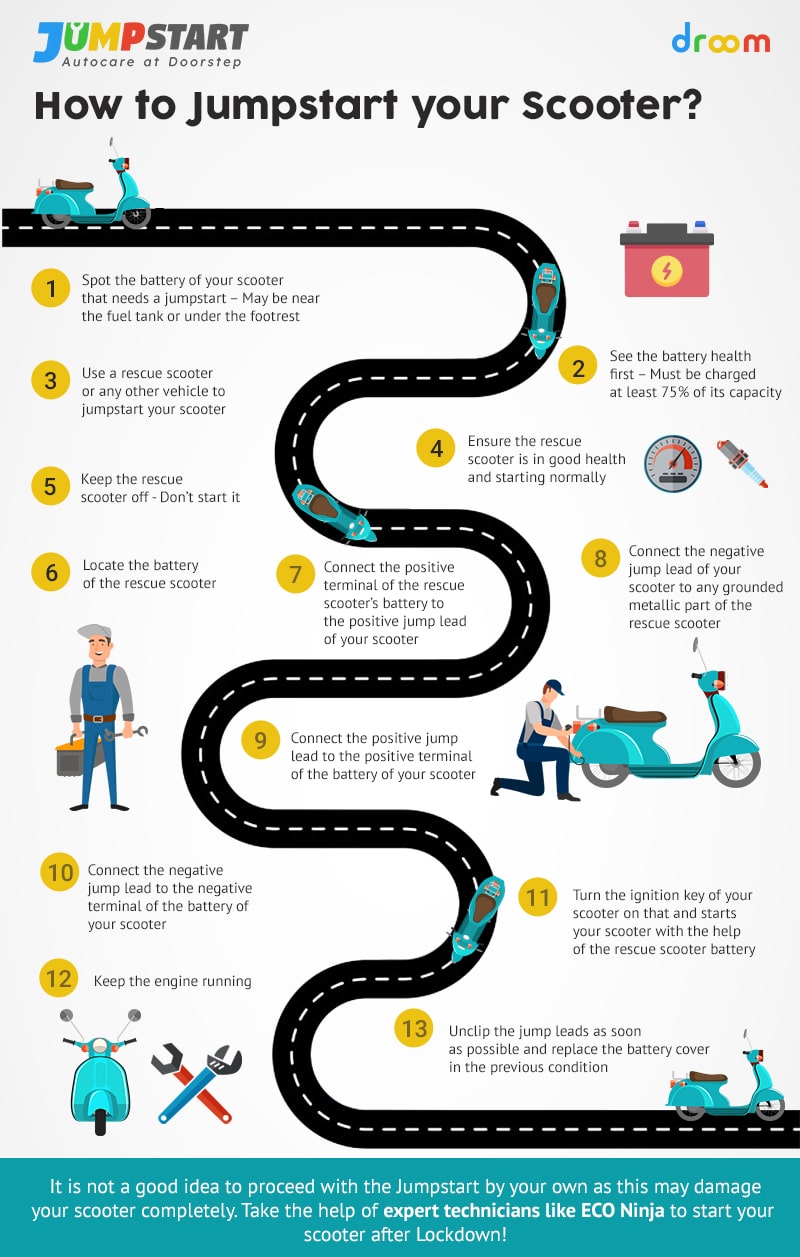
If your battery reads below 11V, the Razor charger won’t see it. You need to jump-start it with an external 12V charger.
What you need is a standard 12V trickle charger or battery maintainer. Remove batteries from the scooter and connect the external charger clamps to the dead battery, red to positive and black to negative. Apply power for only 1 to 2 seconds, then disconnect immediately. Recheck voltage. It should now be above 11V. Reconnect to the Razor charger. The light should turn red.
Now let it charge normally for 3 to 4 hours.
Do not leave the jump charger connected. Seconds are enough. Overcharging can cause swelling or explosion.
Restore Dry Lead-Acid Batteries

Refill with Distilled Water
Old lead-acid batteries can dry out, especially if overcharged or stored in heat. Look for sucked-in rubber caps, which is a sign of internal vacuum.
Peel back the rubber caps on each cell. Use a syringe to add distilled water until the lead plates are covered. Gently stir with a plastic stick to release trapped air. Reconnect and charge on maintenance mode for 24 hours.
You may see 0 amps at first. This is normal. Charging starts once the plates rehydrate. After 24 hours, test voltage. A restored battery may read 12.35V or higher.
Many users revive 2-year-old batteries this way, gaining months of extra life.
Test Internal Components
Find Hidden Faults
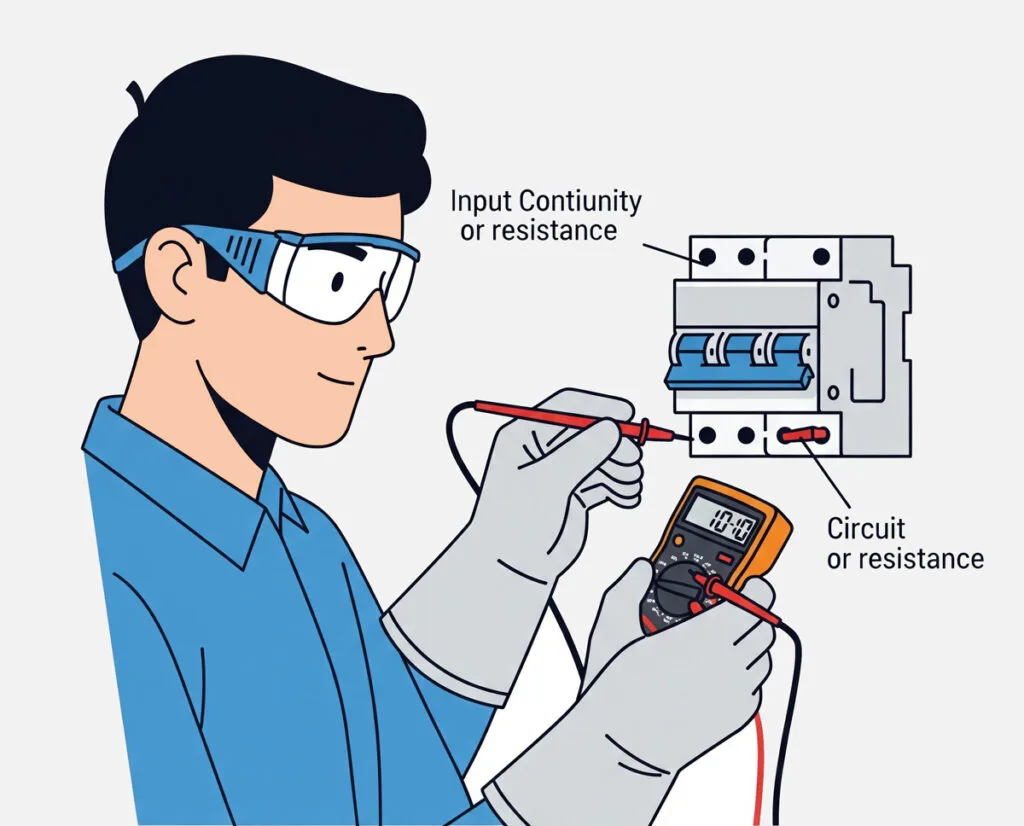
Even with good batteries and a charger, internal parts can block power. Use your multimeter in continuity mode or ohms mode.
Check the circuit breaker, which is a common failure point, especially on the Razor E100. Press the reset button, then check continuity across terminals. The multimeter should beep if it’s good. No beep even after resetting means it needs replacing.
Test the brake switch. The scooter won’t charge if the brake is engaged. Test between the red and black wires from the front brake. Pressing the brake should produce a beep, releasing should produce no beep. A constant beep or no beep indicates a faulty switch.
Inspect the throttle. A stuck throttle can prevent charging. Check the orange wire at the 4-pin connector while twisting the throttle. It should show continuity when twisted. No signal means replace the throttle.
Verify the power switch by testing continuity in both ON and OFF positions. It should beep in both states to prove the switch isn’t broken.
Test the motor by measuring resistance between motor terminals. Normal is about 7 ohms. Zero ohms indicates a short circuit. Infinite ohms means an open coil and the motor is dead.
Replace Faulty Parts
When Repair Isn’t Enough
Some components cannot be fixed and must be replaced.
Replace the circuit breaker if it fails continuity. It’s a common cause of total power loss despite a green charger light. The part is RAZ-RESET2 for E100 models, available for under $10.
Swap out dead batteries by always replacing in pairs for 24V systems or sets of three for 36V systems. Match voltage and chemistry. Never mix old and new batteries.
Consider upgrading to lithium, but think twice. Lithium batteries are lighter and last longer, but they require a compatible controller and charger. Do not plug a lithium charger into SLA batteries or vice versa. Only upgrade if you’re replacing the entire power system with a compatible kit.
Avoid Charger Mismatches
Wrong Charger, No Charge
Using the wrong charger is a silent killer. SLA lead-acid batteries need bulk-absorption-float charging, while lithium uses a constant-current constant-voltage profile. A lithium charger on SLA may show correct voltage but deliver no current, resulting in a green light and dead battery.
Always check the voltage, such as 24V versus 36V. Check the chemistry, SLA versus lithium. Check the connector shape to prevent reverse polarity.
Model specs include E100, E200, and E300, which are 24V systems with two 12V SLA batteries and about 28V chargers. The C35 SLA is a 36V system with three 12V SLA batteries and about a 42V charger.
Follow Safety Best Practices
Prevent Damage and Danger
Electric scooters store energy, so treat them with care.
For charging safety, never charge over 24 hours unattended. Don’t leave the scooter on carpet or flammable surfaces. Unplug once fully charged.
For jump-starting safety, only use 1 to 2 seconds with an external charger. Never use a car battery because it has too much current. Wear safety glasses.
For storage tips, recharge every 4 to 6 weeks if not in use. Don’t let voltage drop below 10V. Store in a cool, dry place because heat kills batteries.
For visual checks, look for bulging or leaking batteries and replace immediately. Check for corrosion on terminals and clean with vinegar and a toothbrush. Inspect wires for fraying and tape or replace damaged insulation.
Troubleshooting Matrix
Fast Diagnosis Table
The table above helps you quickly identify the problem. If the scooter is dead with a green immediate light and charger voltage is normal but battery voltage is under 11V, the battery is too low. Try a 24-hour charge or jump-start.
If the scooter is dead with green immediate light, charger voltage is normal, and battery voltage is under 4V, the battery is dead or sulfated. Replace the battery.
If the scooter is dead with green immediate light but charger voltage is 0V, the charger is dead. Replace the charger.
If the scooter is dead with no light but charger voltage is normal and battery voltage is normal, the breaker is tripped. Reset or replace it.
If power is weak with a red charging light and normal charger voltage but uneven battery voltage, such as 3.9V plus 12.3V, one battery is bad. Replace both batteries.
If there’s no charge with a green light, 42V charger voltage, and 22V battery voltage on a 36V system, there’s an SLA mismatch. Replace the 36V pack.
Key Takeaways for Fixing Your Razor Scooter
Most razor scooter not charging issues come down to four common causes. First, the battery voltage is too low for the charger to detect. Second, one dead cell exists in a battery pack. Third, the circuit breaker has tripped or failed. Fourth, there’s a wrong charger or chemistry mismatch.
With a multimeter and this guide, you can diagnose and fix it yourself, saving $100 or more on replacements.
To prevent future failures, charge after every ride, even short ones. Never store a dead battery. Check voltage monthly during storage. Replace batteries every 1 to 2 years because they degrade even if unused.
Label your chargers. A 36V charger on a 24V scooter can fry the system.
If you’ve tested everything and still have no luck, the issue may be a failed PCB or controller, but that’s rare. In most cases, the battery or breaker is to blame. Start with voltage tests, try the jump-start, and replace components as needed. Your scooter is probably not dead. It’s just sleeping. Wake it up the right way, and you’ll be back on the pavement in no time.
Frequently Asked Questions About Razor Scooter Charging
Why does my Razor charger stay green even when the battery is dead?
This is called the “false green” phenomenon. Your Razor charger needs a minimum battery voltage of about 11 to 12 volts to detect the battery and start charging. If the battery has dropped below this threshold, the charger sees it as missing or dead and defaults to green, indicating standby mode rather than actively charging.
Can I use a different charger for my Razor scooter?
You should only use the charger specified for your model. Using the wrong voltage or chemistry charger can prevent charging or damage the system. A lithium charger on an SLA battery may show correct voltage but deliver no current. Always match the voltage, such as 24V or 36V, and the chemistry, such as lead-acid or lithium.
How do I know if my battery is sulfated?
Sulfated batteries typically read below 7 volts and often cannot accept a charge. You might notice the charger stays green immediately despite a dead battery. If a 12V battery reads below 4V, it’s likely permanently damaged and needs replacement.
Is it safe to jump-start my Razor scooter battery?
Yes, but only for very short periods. Connect a standard 12V trickle charger to the dead battery for only 1 to 2 seconds. This raises the voltage just enough for the Razor charger to detect it. Never leave it connected longer because overcharging can cause thermal runaway or explosion.
How often should I replace my Razor scooter battery?
Lead-acid batteries in Razor scooters typically last 1 to 2 years, even with proper storage. If you notice significantly reduced runtime, difficulty holding a charge, or the voltage drops below 10V regularly, it’s time to replace the battery pack.
Why does my scooter have power but won’t charge?
This could indicate a problem with the charging port, the internal wiring, or the circuit breaker. Test the charger output first to confirm it’s working. Then check the circuit breaker for continuity. If those are fine, inspect the charging port and wiring for damage or corrosion.



